




02 Nov Post-hurricane IT recovery services for South Florida businesses
A disaster recovery plan that hasn’t been tested is only an assumption. Post-hurricane IT recovery services in South Florida help businesses restore systems and data, but success depends on verified backups and a team that knows how to follow the plan. Test it regularly with recovery drills and simulations so gaps surface before a storm, not during the response.
It’s reasonable to focus first on getting devices and systems back online. But dependable recovery also requires clear priorities, usable backups, and a continuity plan that keeps essential work moving while systems are restored.
This article explains what post-hurricane IT recovery can involve, how backup and continuity planning support a return to operations, and what to test in a disaster recovery plan. You’ll also learn how to assess recovery needs and how managed IT and disaster recovery support can help.
Key Takeaways
- Prioritize critical systems and plan for flooding, power loss, and physical access issues before a storm disrupts operations.
- Identify essential business functions and define how employees will keep them moving during an IT outage.
- Use automated, off-site backups as part of a recovery strategy, then test that data and systems can be restored.
- Set clear emergency response steps so your team knows how to report problems, coordinate recovery, and resume work.
What do backup and disaster recovery services actually include?
After a hurricane, recovery involves more than restoring files. It coordinates safe access, functioning equipment, data restoration, and temporary ways to keep essential work moving. In Miami-Dade County, preparation also means planning for utility outages and potential flooding around business sites.
Preparedness for Hurricanes, Flooding, and Outages
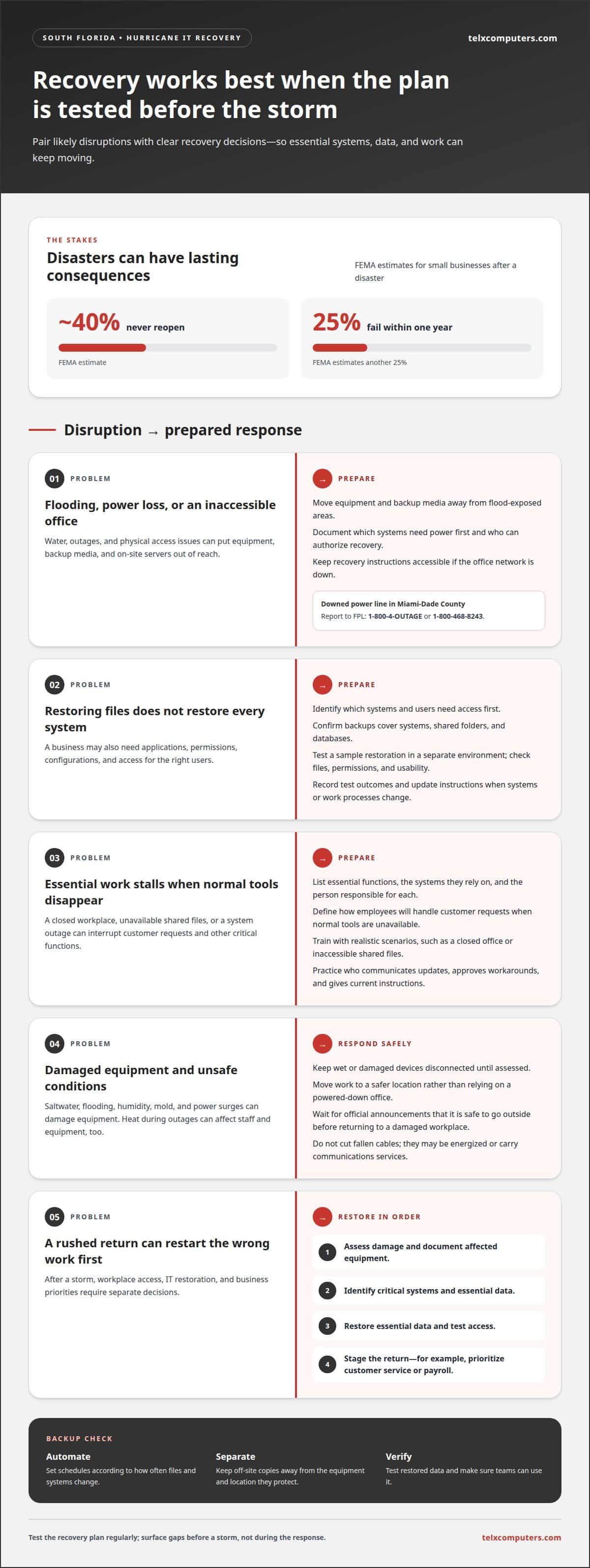
Before storm season, identify critical systems, backup locations, and who can authorize recovery. Plan for flooding by moving equipment and backup media away from areas exposed to water, and document which systems need power first. Keep recovery instructions accessible if the office network is down. In Miami-Dade County, report a downed power line to FPL at 1-800-4-OUTAGE or 1-800-468-8243.
Recovery During Outages and Office Inaccessibility
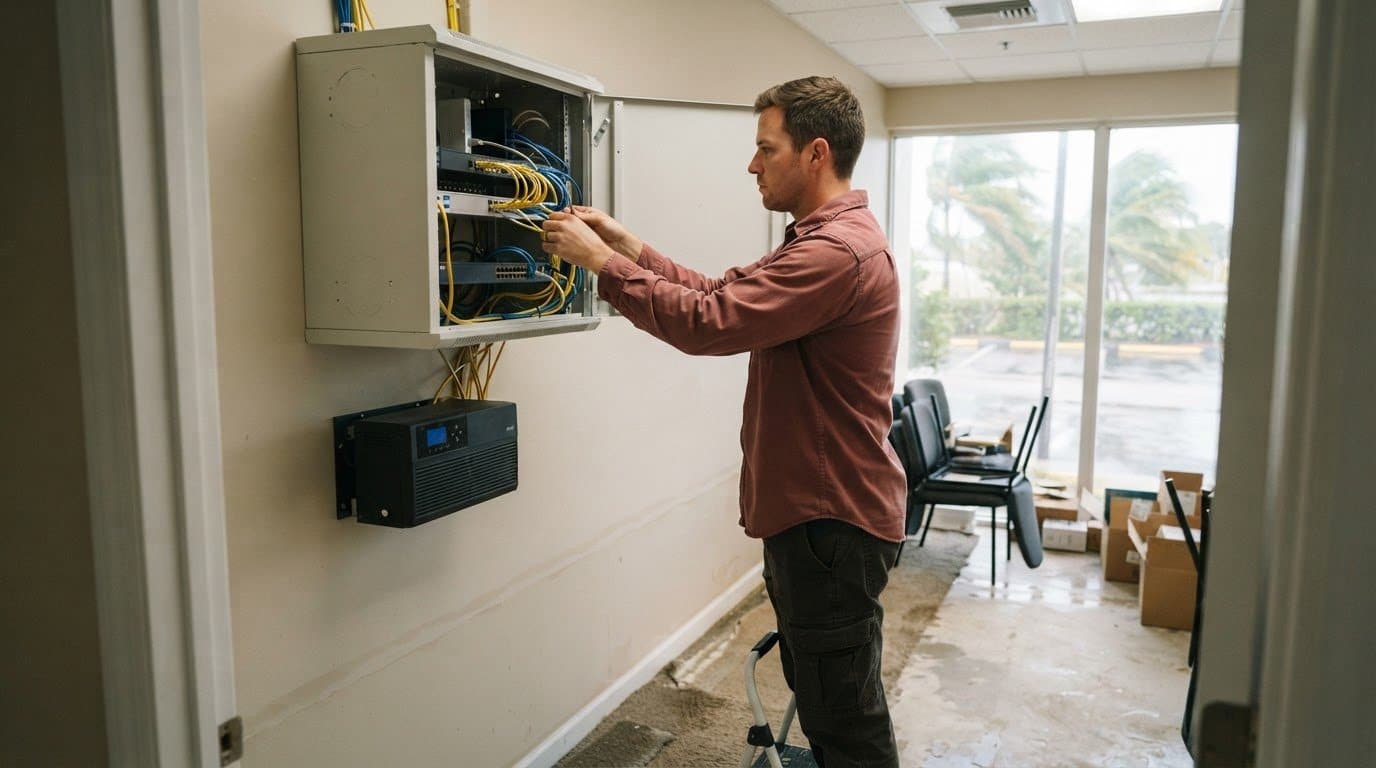
A hurricane can cut power or make an office inaccessible, leaving staff unable to reach on-site servers. Recovery may involve restoring data from backups, bringing essential cloud systems back online, and arranging temporary remote access. Wait for official announcements that it’s safe to go outside before returning to a damaged workplace. Don’t cut fallen cables, as they may be energized or carry communications services.
Managed IT providers coordinate systems and support, while disaster recovery firms focus on restoring operations after a disruption. Cloud backup services protect off-site copies of data, but restoring files alone won’t bring every business system back. Identify which systems and users need access first.
Available IT recovery work in South Florida can include data restoration, network and server recovery, cloud access, and support for temporary operations. Coordinated IT outsourcing services can help organize these recovery tasks when staff need to work from another location.
Saltwater and flooding can corrode components, while South Florida humidity can contribute to moisture damage and mold. Power surges can harm equipment, so keep wet or damaged devices disconnected until assessed. During outages, heat can affect staff and equipment. Move work to a safer location instead of relying on a powered-down office.
Business continuity planning
A continuity plan turns recovery priorities into clear decisions for managers and employees. For businesses in Miami, Aventura, and Fort Lauderdale, it should explain how teams can continue essential work when a workplace, system, or supplier is unavailable.
Continuity Plans and Employee Training
List essential functions, the systems they rely on, and the person responsible for each. Decide how employees will handle customer requests if normal tools are unavailable, such as directing calls to a temporary contact method. Train staff with realistic scenarios, including a closed office or inaccessible shared files. Practice who communicates updates, approves workarounds, and gives employees current instructions.
Damage Assessment and Business Re-entry
After a storm, photograph or record damage and keep insurance communications. Assess the workplace and affected equipment before planning staff re-entry, and separate facility access decisions from IT restoration. Give employees specific instructions about where to work and which tasks can resume. A staged return can prioritize customer service or payroll while other operations wait for repairs.
Data Recovery Requirements
Requirements depend on the information a business handles and its contractual obligations. HIPAA requires Florida businesses handling protected health information to have a data backup and contingency plan. Review policy terms, record affected systems, and preserve claim communications. Post-hurricane IT recovery services in South Florida can support the technical work, while managers remain responsible for business decisions and employee communications.
Recovery Steps and Financial Assistance
Assess damage, identify critical systems, restore essential data, and test access before resuming affected work. Keep records of losses and recovery actions. The U.S. Small Business Administration offers low-interest disaster loans to help businesses recover from declared disasters; the Florida Small Business Development Center Network provides free recovery consulting to small businesses. Post-hurricane IT recovery services in South Florida can help coordinate system restoration with those broader recovery efforts. IT outsourcing services can help structure technical responsibilities.
FEMA estimates that approximately 40% of small businesses never reopen after a disaster, and FEMA estimates that another 25% of small businesses fail within one year after a disaster. Most major compliance frameworks require documented, testable recovery capabilities.
Automated and off-site data backups
Automated backups capture business data without relying on someone to remember each copy. Set the schedule according to how often files and systems change, then identify what must be restored first. For example, a firm might prioritize customer records and accounting data over archived project files. Keep backup copies separate from the equipment and location they protect, so flooding or building damage doesn’t affect both.
Off-site storage can preserve data when local servers or office networks are unavailable. Cloud backups are one option; another is storing copies at a separate physical location. Confirm which systems, shared folders, and databases the backup covers. A copied file isn’t enough if the business also needs applications, permissions, and configuration to use that data.
Plan restoration around business priorities, not just the backup console. Document who can authorize recovery and how staff will access critical information during a network outage. Then test a sample restoration in a separate environment. Check that files open, permissions remain appropriate, and teams can use the restored data. Record each test’s outcome and update instructions when a system or work process changes.
Automated backups support response and recovery, but decisions about repairs and rebuilding are still necessary. Map each essential system to its backup source and the person responsible for restoring it. During recovery, verify that the restored data is current enough for the task and that users can access it securely. This makes immediate workarounds more deliberate while damaged equipment or facilities remain unavailable.
Federal disaster programs may support broader recovery after a declared disaster, but backups serve a distinct purpose: they give a business a way to recover its own information. Keep backup records, restoration test results, and system inventories with other recovery documentation. These materials can help explain which technology assets were affected and what steps supported restoration.
24/7 Emergency response
After a hurricane, emergency response coordinates diagnosis, recovery priorities, and the work needed to reconnect essential systems. Restoration speed depends on the damage, access, backup readiness, and system dependencies.
Restoration Timelines
There’s no single restoration timeline for servers, networks, and cloud systems. A provider first identifies the failure, checks backup integrity, and maps which services depend on damaged equipment or connectivity. Restoring a cloud application can take a different path from replacing a flooded server or repairing network hardware.
To plan the sequence, ask which systems can return first, what dependencies could delay them, and how the team will validate recovery. A working login alone doesn’t confirm that shared files, applications, and network access function together. Clear milestones help staff understand what’s usable at each recovery stage.
On-Site Recovery
On-site work can include inspecting server rooms, checking network equipment, and coordinating replacement or reconnection. During initial triage, share the affected location, known equipment damage, and current access conditions. If the office remains inaccessible, remote diagnosis can help identify issues while physical work waits for safe access.
South Florida businesses seeking 24/7 emergency response and on-site recovery should look for managed IT providers or disaster-recovery teams with both capabilities. Confirm that the response process assigns an escalation contact, explains how remote and on-site work connect, and identifies who approves restoration priorities.
Keep a concise incident record: affected systems, observed outages, actions taken, and recovery status. This gives the response team a usable timeline and helps prevent repeated troubleshooting. For coordinated network recovery planning, explore managed IT support services.
Alongside technical triage, separate immediate safety concerns from service restoration. In Florida, 911 is for emergencies such as serious injury, a medical crisis, a fire, or a downed power line or sparking on fire. In Orlando, non-emergency flooding can be reported by calling 407.246.2238. During a declared emergency, Florida price gouging is assessed by comparing the emergency price with the price charged for the same commodity during the preceding 30-day period. After Hurricane Milton, eligible Public Assistance costs for debris removal and emergency protective measures are federally funded at 100 percent for a period of 90 days chosen by Florida within the first 120 days from the start of the incident period.
Telx Computers: Managed IT Services
Telx Computers can support South Florida businesses that need coordinated IT recovery and ongoing technology management after a hurricane. Its Managed IT Services bring day-to-day support together with 24/7 Help Desk Support, Network Security, and Cloud Computing.
Turn to Telx Computers when your Miami, Aventura, or Fort Lauderdale business needs help organizing recovery priorities, maintaining secure access, or managing technology as operations resume. Managed IT Services connect user support, network protection, and cloud systems with your continuity needs, rather than treating each issue as a separate fix.
To discuss IT support for your business, contact Telx Computers.
Turn recovery planning into ongoing readiness
Make recovery planning part of regular business operations, not a document left untouched until a storm arrives. Assign responsibility for keeping system records current, reviewing dependencies, and updating procedures when your technology or workplace changes. This ongoing discipline gives employees a clearer starting point during a disruption and helps leaders make decisions with less guesswork.
For South Florida businesses, post-hurricane IT recovery services work best when they connect technical recovery with the way the organization actually operates. Consider which responsibilities need coordination across your team and where outside IT support can strengthen that process. Telx Computers offers Managed IT Services, 24/7 Help Desk Support, and Network Security to support business technology needs.
Take the next step toward a more prepared recovery approach. Discuss your IT recovery needs with Telx Computers, and keep building a resilient foundation for your business.
Frequently Asked Questions
How can businesses restore data from backups after a hurricane, and how long does recovery take?
Restore from a verified backup to functioning equipment or a cloud environment, then check that key records and applications work together. Recovery time depends on the amount of data, available network capacity, equipment condition, and application dependencies. For a business in Miami, Aventura, or Fort Lauderdale, compare restored records against recent transactions before employees resume routine work, so missing or duplicated entries can be corrected early.