




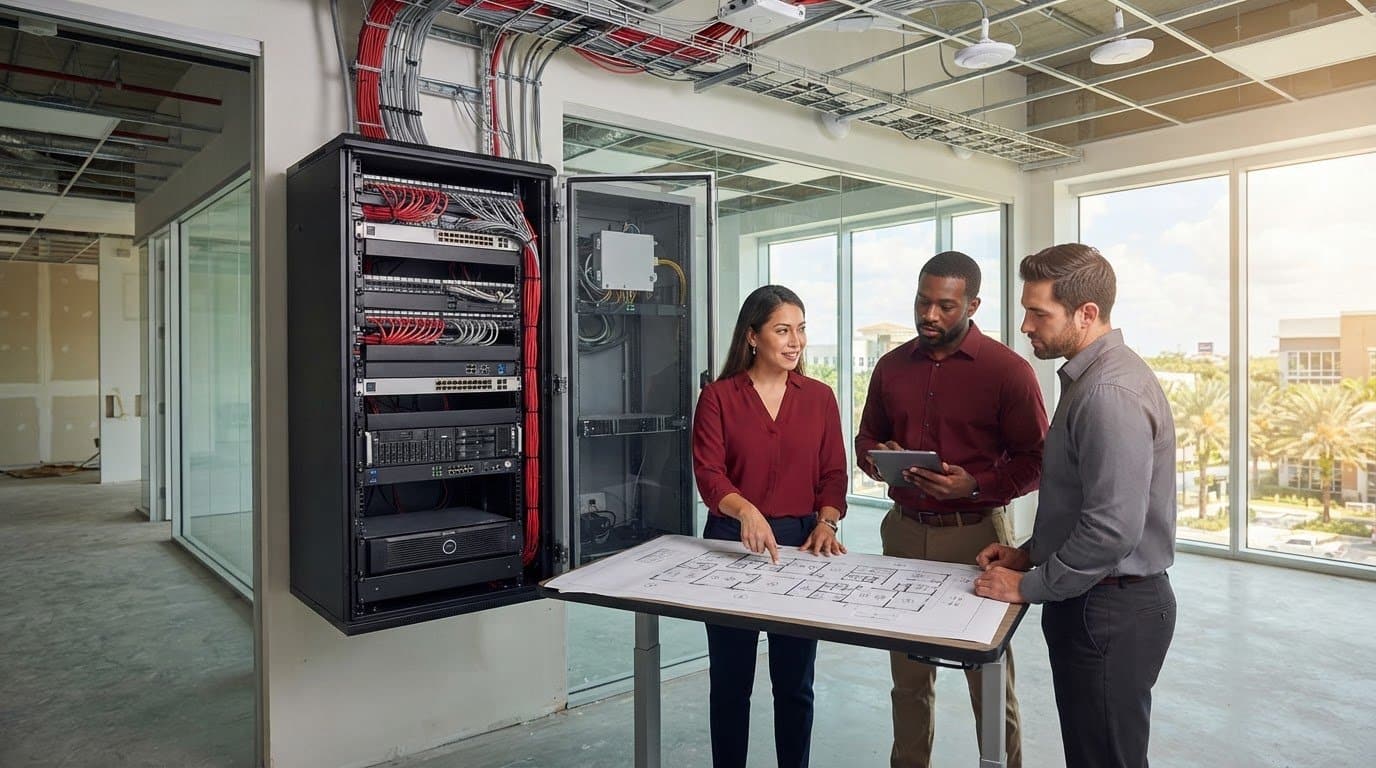
05 Oct IT Infrastructure Design for New Offices in Doral: A Business Checklist
What if your new Doral office’s biggest IT problem is decided before the first employee arrives? IT infrastructure design for new offices in Doral should begin while construction and move-in plans are still taking shape. Cabling, Wi-Fi, security, cloud access, and power all affect how reliably your team can work. Late decisions can lead to avoidable rework or disruption.
It’s understandable to focus first on computers and internet access. But a dependable office depends on more than individual devices. Its network, business applications, security controls, backup, and support must work together. Planning those pieces as one business project helps create a foundation that serves employees now and can adapt as the organization grows.
This checklist covers what to plan before move-in, from network and connectivity needs to cybersecurity, cloud services, data protection, and ongoing IT support. You’ll also see why coordinating design and implementation early can reduce last-minute surprises. With an integrated plan, your Doral office can open with the technology your staff needs and a support structure ready to keep it running.
Key Takeaways
- Start with your team’s users, workflows, applications, devices, and remote-work needs to shape infrastructure around how the business operates.
- Coordinate network, connectivity, security, cloud, voice, and support requirements so each component works as part of one office technology plan.
- Compare onsite, cloud-dependent, and hybrid approaches based on business fit, security, manageability, continuity, scalability, and support ownership.
- Plan site requirements and infrastructure dependencies early, then schedule implementation and validation ahead of move-in.
- IT infrastructure design for new offices in Doral can connect project implementation with ongoing IT consulting, network security, cloud, backup, monitoring, and help desk support.
IT Infrastructure Design for a New Doral Office Starts With Business Needs
A move brings plenty of competing deadlines. If technology decisions wait until desks and equipment are arriving, the result can be rushed purchases, installation conflicts, or systems that don’t support how the team works. Start with business needs, then connect the office layout, network, applications, security, and support in one coordinated plan.
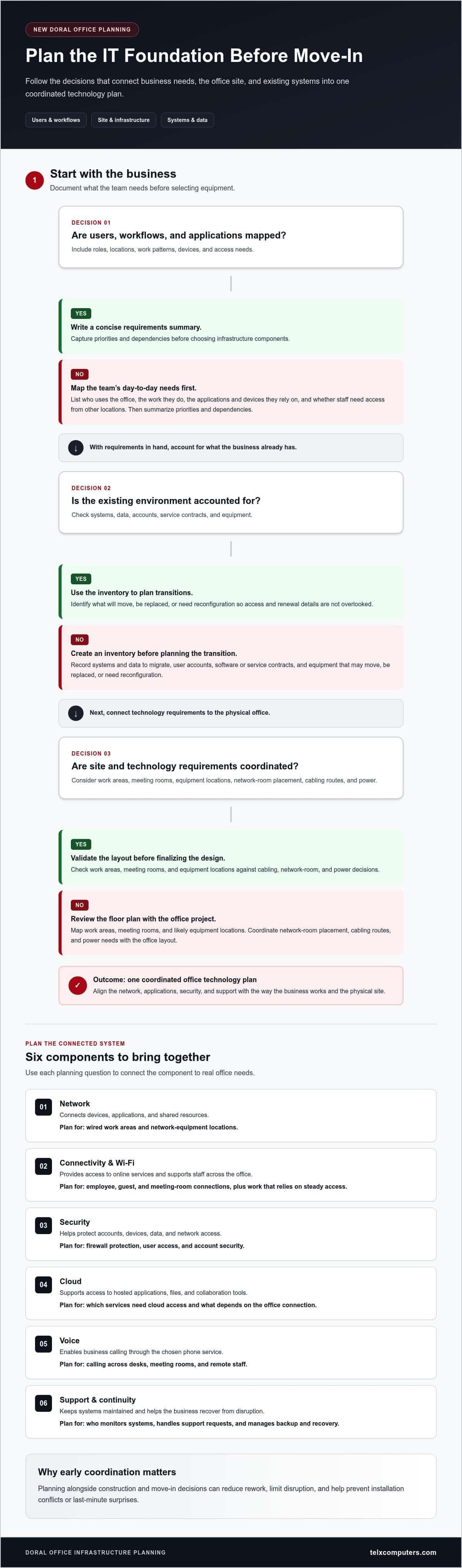
Begin discovery before selecting equipment. Document who will use the office, what work they do, which applications and devices they rely on, and whether staff need access from other locations. This gives IT infrastructure design for new offices in Doral a business-led foundation instead of a collection of disconnected technology purchases. For a broad overview of the hardware, software, and networks involved, see this explanation of IT infrastructure.
This video offers a visual introduction to planning technology for a new office:
Map users, workflows, and business-critical applications
Group requirements by team, role, location, and daily work pattern. A meeting-heavy team may depend on reliable video calls and shared calendars, while staff handling large files may need consistent access to cloud applications and shared data. List workflows that rely on network connectivity, cloud access, or voice services such as VoIP. Then write a concise requirements summary that identifies priorities and dependencies before choosing infrastructure components.
Inventory what the business already has, too: systems and data to migrate, user accounts, software or service contracts, and equipment that may move, be replaced, or need reconfiguration. This record helps the project team plan transitions and avoid overlooking access or renewal details. Early planning can reduce rework, limit disruption during the move, and prevent fragmented purchases that leave systems difficult to manage together.
Review the Doral office site before finalizing the design
Use available floor plans to map work areas, meeting rooms, and likely equipment locations. Coordinate network-room placement, cabling routes, power needs, and equipment layout with the office project so technology requirements are considered alongside the physical space. Reviewing floor plans and equipment locations early gives the project team time to coordinate cabling, network-room, and power decisions before late-stage changes can disrupt installation or the move-in plan.
Which IT Infrastructure Components Should a Doral Office Plan For?
A new office needs more than internet access and a set of computers. Network, connectivity, security, cloud services, voice, and support depend on one another, so plan them as a connected system. The right configuration for IT infrastructure design for new offices in Doral depends on the team’s size, workflows, applications, and site conditions. Businesses opening in Doral and operating across Miami, Aventura, or Fort Lauderdale can use the same needs-based planning process while accounting for each office’s layout and work patterns.
| Component | Business purpose | Dependencies and planning questions |
|---|---|---|
| Network | Connects devices, applications, and shared resources. | Which work areas need wired connections? Where will network equipment be located? |
| Connectivity and Wi-Fi | Provides access to online services and supports staff across the office. | Where will employees, guests, and meeting-room devices connect? Which work relies on steady access? |
| Security | Helps protect accounts, devices, data, and network access. | How will firewall protection, user access, and account security fit into the network plan? |
| Cloud | Supports access to hosted applications, files, and collaboration tools. | Which services need cloud access, and what depends on the office connection? |
| Voice | Enables business calling through the chosen phone service. | How will calling work across desks, meeting rooms, and remote staff? |
| Support and continuity | Keeps systems maintained and helps the business recover from disruption. | Who monitors systems, handles support requests, and manages backup and recovery? |
Plan connectivity, Wi-Fi, cabling, and core network equipment
Map wired and wireless needs to work areas, shared spaces, meeting rooms, and the applications employees use. A workstation used for regular business applications may have different connection needs from a conference room used for calls and presentations. Coordinate cabling routes and network equipment locations with the office layout to keep installation practical and accessible. For more detail on planning and maintaining business networks, explore network IT support.
Connect security, cloud, voice, and continuity requirements
Security belongs in the network plan, not as an afterthought. Firewall protection and account security help safeguard the broader environment, while cloud access, business calling, and data backup each depend on reliable connectivity and clear ownership. The Federal Trade Commission’s Cybersecurity for Small Business resource offers practical guidance for protecting networks, data, and devices. Plan how backup and recovery fit into daily operations, too.
These components work best when selected together. A coordinated plan can align connectivity, cloud use, voice, security, and ongoing support with the office’s actual requirements. Review network planning and support as part of building that connected foundation.
How to Compare IT Infrastructure Options for a Doral Office
There isn’t one infrastructure model that fits every Doral business. Compare options against documented requirements, not assumptions about company size or what seems easiest to install. A design should fit your applications and daily operations, protect access to business data, support reliable work, and assign clear ownership for ongoing management.
Choose an infrastructure approach that fits business operations
A cloud-dependent setup may suit teams whose applications and data are hosted online, provided employees have dependable connectivity and secure access. Onsite infrastructure can support systems or data that need to remain at the office, but it also creates local equipment and maintenance responsibilities. A hybrid approach combines cloud services with onsite resources where workflows call for both.
Assess how office employees, remote staff, and shared devices will connect. Identify which applications depend on cloud access, which require onsite resources, and what the business needs if a connection or system is unavailable. Let documented requirements guide the architecture, rather than assuming a smaller or larger company automatically needs a particular model.
Evaluate resilience, security, and day-to-day management
Compare each option across the factors that shape its long-term fit:
- Security: How will user access, devices, and network activity be protected?
- Continuity: How will business data be backed up, and what is the recovery approach if systems are disrupted?
- Manageability: Who will monitor infrastructure, apply updates, make user changes, and handle incidents?
- Scalability: Can the setup adapt as staff, workflows, or application needs change?
- Support ownership: Who coordinates IT support and any vendors involved in the environment?
The simplest setup to establish may not be the easiest to operate over time. A cloud-dependent design can reduce the need for some onsite systems while increasing reliance on connectivity and cloud-service access. Onsite equipment may provide local access to selected resources but requires attention to monitoring, maintenance, backup, and recovery. Hybrid designs can address both needs, though they also require clear coordination across environments.
Decide who owns routine support before move-in, including updates, account changes, incident response, and coordination between systems. Telx Computers’ managed IT services connect infrastructure decisions with ongoing operations. Include server monitoring in the plan, too, so oversight of critical systems has a defined place in day-to-day management.
New Office IT Checklist: From Site Planning to Move-In
A clear sequence keeps technology decisions connected as the office takes shape. Separate choices that affect construction or installation from checks that can happen closer to opening day, and assign an owner to track each decision. This turns IT infrastructure design for new offices in Doral into a practical project plan rather than a last-minute scramble.
Complete planning and readiness checks before installation
Address site and system dependencies early. Confirm requirements, review floor plans, identify equipment locations, and coordinate connectivity and installation responsibilities with the office project. Keep decisions and dependencies in one shared record so updates don’t get lost between business, facilities, and IT teams.
- Document requirements: Record staff roles, workflows, applications, devices, remote-work needs, and critical data.
- Review site readiness: Confirm work areas, equipment locations, cabling routes, power needs, and connectivity plans against the office layout.
- Plan implementation: Set responsibilities and sequence the work across network, security, cloud, voice, and any office relocation activities.
- Prepare data and accounts: Identify information and user accounts that need to move, be created, or be updated. Track access needs and ownership.
These early steps shape what can be installed and when. Record open dependencies, decisions, and project changes in a shared tracker, including who owns each follow-up. That gives everyone a current reference point and helps prevent late changes from being overlooked.
Test systems and prepare employees before opening
Closer to move-in, focus on verification and staff readiness. Test that employees can connect to the network, sign in to the right accounts, reach business applications, and use their devices. Confirm calling, security controls, and backup workflows as part of the same readiness process, rather than treating each system as an isolated handoff.
- Validate access and services: Test user accounts, connectivity, applications, voice services, and security from the places employees will work.
- Check continuity: Confirm that backup processes are operating as intended and that responsibilities for recovery are clear.
- Prepare staff: Share instructions for using accounts and devices, and explain how to submit support requests.
- Track completion: Give every readiness item an owner and status, then resolve outstanding items before employees rely on the new office systems.
Use the tracker for a final review with the people responsible for the office and its technology. Telx Computers supports project-based technology implementations, including office relocations, alongside ongoing IT services. Plan your Doral office IT setup with Telx to connect move-in implementation with continued support.
How Telx Computers Supports IT Infrastructure Design for Doral Offices
A successful office launch depends on more than getting technology installed. The systems need to work together on day one, and the business needs a clear path for support as employees settle in and operations evolve. Telx Computers connects project-based implementation with ongoing IT operations, helping businesses approach IT infrastructure design for new offices in Doral as one coordinated effort.
That work can bring IT consulting, network security, cloud computing, backup and disaster recovery, server monitoring, and help desk support into the planning conversation. For example, a network migration or server installation can be considered alongside how employees will access business applications, protect accounts, and get assistance after the move. Telx also handles project-based technology implementations for office relocations.
Connect office implementation with ongoing managed IT support
Installation is a milestone, not the end of infrastructure planning. After employees move in, ongoing support can address user needs and keep business systems under active management. Telx provides 24/7 help desk support and fixed-price recurring plans covering routine support. Learn more about managed IT support services and how ongoing IT operations can extend beyond the initial office setup.
Connecting implementation to support also clarifies who handles routine requests, system monitoring, security, and backup responsibilities. That continuity helps the business avoid treating each new issue as a separate project, while giving employees a defined resource for IT assistance.
Define the next step for a Doral office project
Before discussing the project, outline the planned move date, expected users, key business applications, and infrastructure priorities already identified. Include any systems, equipment, or data that may need to move, along with dependencies tied to the site or office schedule. This gives the project team a practical starting point for mapping work and responsibilities.
Telx tailors project scope to business requirements and technical complexity, whether the work involves office relocation, network migration, server installation, or related IT planning. With the move details and priorities in hand, you can have a focused conversation about how implementation and ongoing support fit together.
Discuss your Doral office IT plan with Telx Computers and take the next step toward a coordinated technology setup.
Set Your Doral Office Up for Confident Growth
Strong IT infrastructure design for new offices in Doral starts with business requirements, then brings the network, security, cloud services, voice, backup, and support into one coordinated plan. Reviewing the office site early and assigning owners to key decisions can help reduce avoidable rework. Testing access, applications, connectivity, and backup before employees arrive helps ensure the technology is ready for daily operations.
Telx Computers connects office implementation with ongoing IT support. Founded in 2002, Telx has a physical location in Miami and supports project-based work such as network migrations, server installations, and office relocations. After move-in, businesses can use 24/7 help desk support and fixed-price unlimited service plans for routine IT needs.
Bring your move date, user needs, key applications, and infrastructure priorities into the planning conversation. Discuss your new office IT plan with Telx and take the next step toward a connected, supported workplace. With the right plan and support, your team can move in ready to work.
Frequently Asked Questions
What IT infrastructure does a new office need?
A new office needs an infrastructure plan matched to its users, workflows, applications, and site. Plan network connectivity and Wi-Fi, security, cloud or onsite resources, voice services, backup, and ongoing support. These components should be designed together because applications and staff depend on them in connected ways. Before move-in, test the setup against actual work needs, including employee access, key business applications, and the office’s physical layout.
When should IT infrastructure planning start for a new office?
Start IT infrastructure planning during office planning, before equipment locations and cabling decisions are fixed. Early coordination lets the business align floor plans, connectivity, power, network equipment, and installation responsibilities while the office layout is still being shaped. The right sequence depends on project scope and the office schedule, so build the technology work into those plans early rather than relying on a last-minute setup.
Can a business use cloud services instead of onsite servers in a new office?
Yes, a business can use cloud services, onsite servers, or a hybrid approach, depending on its applications, data, connectivity, and operational needs. Cloud services can support access to applications and collaboration, but they don’t eliminate the need for secure networks, backup planning, or ongoing support. Review how employees will use each system, what relies on internet connectivity, and how the business will maintain access before selecting an architecture.
What happens if office IT is not ready by move-in?
If office IT isn’t ready, employees may face interrupted access to business applications, delays setting up accounts and devices, or connectivity problems. Teams may also need rushed changes that complicate the move. The causes and impact vary by project, but a readiness checklist can help surface outstanding work. Assign owners to tasks and validate systems before opening to reduce avoidable disruption and give employees a clearer start.
Does a new office need a firewall and network security plan?
Yes, include firewall and network security planning as part of the infrastructure design, not as a last-minute addition. Consider how the business will protect network access, manage user accounts, secure employee devices, and support access to cloud services. Monitoring also plays a role in maintaining visibility into the environment. The right decisions depend on the systems in use and the business’s risk profile, not a one-size-fits-all configuration.
How do you prepare a business network for employees before opening?
Start by documenting user and application needs, then plan wired and wireless access for the office’s work areas. Configure user access and prepare employee accounts and devices before staff arrive. Test connectivity, business applications, and voice services where needed using the actual office setup. Share a clear process for requesting IT support, too, so employees know where to turn if they encounter an issue after opening.
Can one IT partner help with office setup and ongoing support?
Yes. A coordinated IT partner can connect project planning and implementation with managed support, monitoring, network security, cloud services, backup, and help desk assistance. Telx Computers supports project-based work such as network migrations, server installations, and office relocations, alongside ongoing IT services, including 24/7 help desk support and fixed-price unlimited service plans. For a Doral office project, share your move date, users, applications, and infrastructure priorities to start the discussion.