




16 Oct Managed IT for Hospitality Groups in Miami Beach
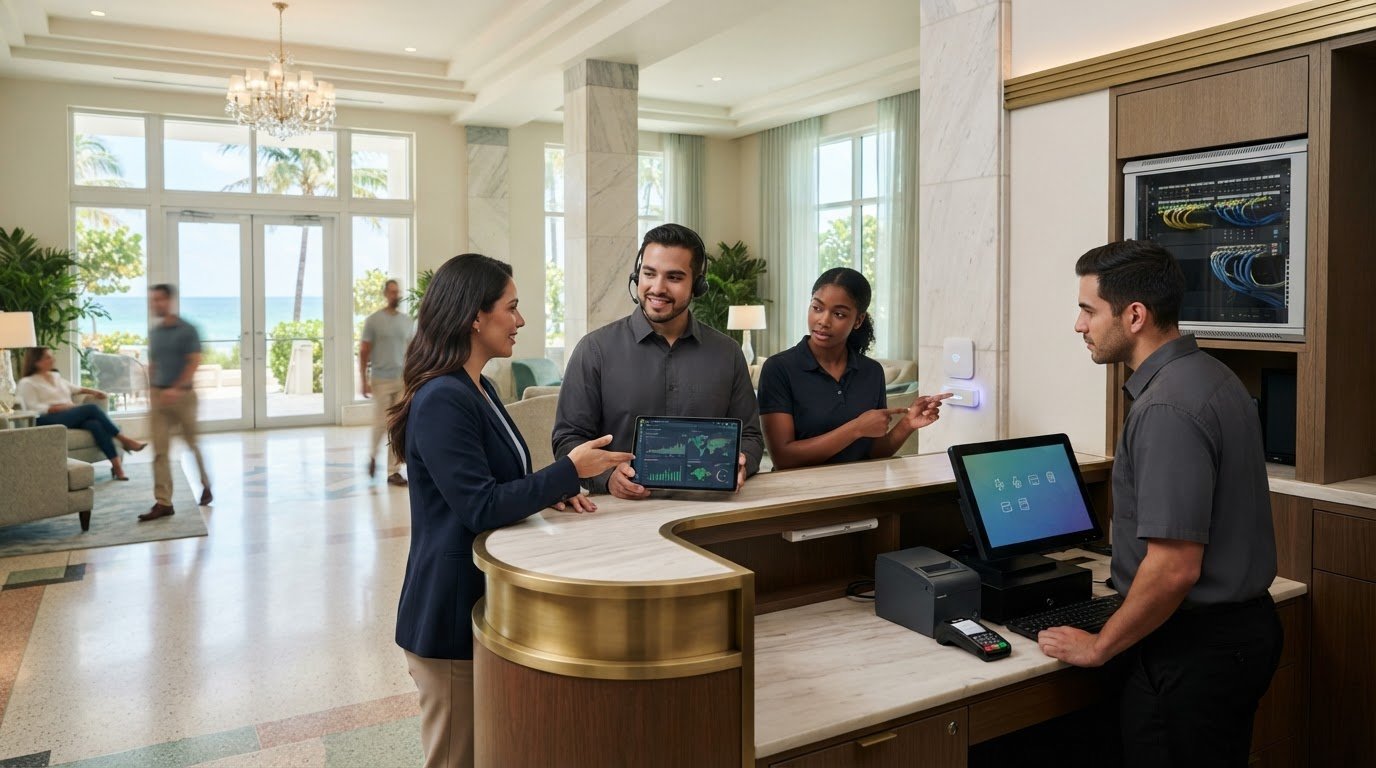
A guest-facing technology interruption rarely stays confined to one screen. A network issue can disrupt staff workflows and the systems guests rely on, while back-office teams still need dependable access to their tools. Managed IT for hospitality groups in Miami Beach brings these day-to-day needs together through proactive support for networks, cloud services, point-of-sale systems, and more. The goal is steady operations, not another technology burden for your team to manage alone.
Reliable support is easier to plan when you know what a managed service covers. This article explains which hospitality technology needs a managed IT partner can address, how support responsibilities can fit your operations, and what service terms Telx Computers provides. You’ll also learn how 24/7 remote help desk support, proactive monitoring, on-site support, and predictable monthly costs can support guest-facing and back-office technology. Telx Computers serves businesses in Miami and South Florida, giving local hospitality groups an ongoing IT partner without requiring them to build an internal IT department.
Key Takeaways
- Managed IT for hospitality groups in Miami Beach can support guest-facing connectivity and the internal workflows staff rely on.
- Remote help desk support, proactive network monitoring, on-site support, and server monitoring address different parts of day-to-day IT operations.
- A clear service scope helps hospitality groups understand support responsibilities, escalation, and ongoing monitoring.
- Telx Computers serves businesses in Miami and South Florida, with predictable monthly support designed to reduce the need for an in-house IT department.
Managed IT for Hospitality Groups in Miami Beach: Why Continuity Matters
Keeping service moving while business systems stay available puts steady pressure on hospitality teams. A connectivity problem, point-of-sale issue, or staff device that stops working can disrupt a front-of-house task and create follow-up work behind the scenes. Managed IT cannot promise that outages will never happen. It can help teams prepare, identify issues, and respond with clear support responsibilities.
Managed IT is ongoing technology support, monitoring, and maintenance that helps a business manage its systems over time. For hospitality groups, this approach connects technology needs that might otherwise be handled as separate problems. The Hospitality Industry Overview describes a broad sector spanning different types of service businesses, each with its own operations. A managed IT plan should reflect the organization’s actual workflows, rather than assume every property or team uses the same setup.
Where technology fits into hospitality operations
Technology supports several parts of daily operations. Guest connectivity shapes how visitors access online services; POS systems support transactions; staff devices help employees perform assigned tasks; and business communications keep teams in touch. A disruption in one area may affect another. For example, a staff member who cannot access a work device may need help completing a process, even if guest Wi-Fi remains available.
Groups may coordinate multiple locations, departments, or teams, but their technology environments vary. Map what each team uses, who relies on it, and where support should begin. This gives an IT partner a clearer picture of operational priorities and is more useful than treating “hospitality technology” as a single system or assuming a particular booking or property platform.
Why reactive-only support can leave gaps
Reactive support starts after someone reports a problem. It is essential for troubleshooting, but on its own it can leave teams focused on the latest interruption without a broader view of recurring issues or routine maintenance. Proactive monitoring and planned maintenance add an ongoing layer: they help track system health and address identified needs before they become another urgent staff task. They can reduce avoidable surprises, but cannot guarantee uninterrupted service.
Clear ownership also matters. Staff should know how to report an issue, what information helps the support team investigate it, and which technology responsibilities sit with the managed IT partner versus internal staff or other vendors. Agreeing on those boundaries helps reduce delays from uncertainty or duplicate troubleshooting. A defined escalation path also helps teams communicate operational impact, such as whether an issue affects one employee or a shared business function.
For hospitality groups considering Managed IT for hospitality groups in Miami Beach, continuity means looking beyond whether a device is online. It means understanding how guest-facing connectivity and back-office workflows rely on technology, then organizing monitoring, maintenance, and support around those needs. A coordinated managed IT support service gives teams a consistent point of contact. Issues can still occur, but responsibilities and support processes need not be improvised each time.
Managed IT Services for Miami Beach Hospitality Groups: What Support Can Cover
Once a hospitality group understands where technology supports its operations, the next step is defining the support behind it. Managed services can bring user assistance, infrastructure oversight, security, and recovery into a coordinated relationship. Be specific about which systems are covered, how support is delivered, and where the team or another vendor remains responsible.
Managed services combine ongoing technical support, system monitoring, and security practices to help keep business technology managed as one coordinated environment. For groups in a destination shaped by visitor activity, the City of Miami Beach’s Miami Beach Tourism Impact resource offers local context for the importance of tourism. For day-to-day operations, connect staff support with the technology the business depends on, without assuming every property uses the same software.
Networks, POS systems, and everyday support
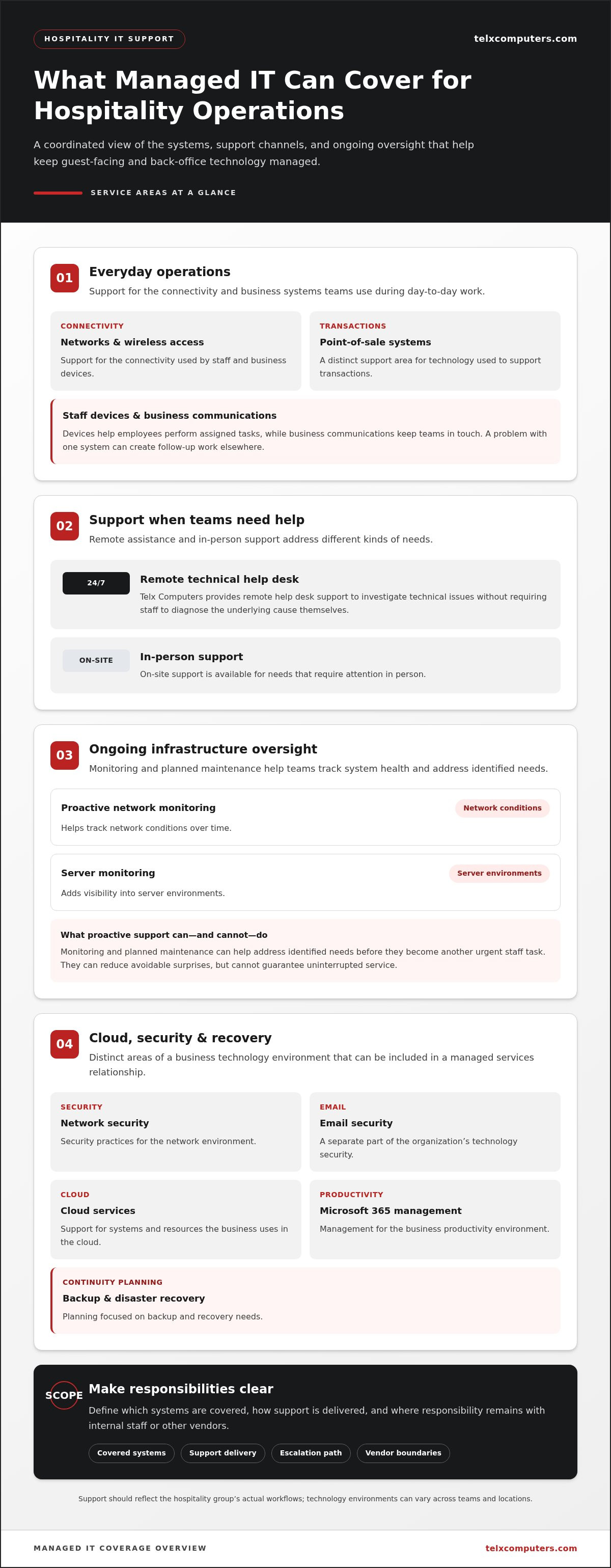
Network support helps maintain the connectivity staff and business devices use, including wireless access. POS systems are another distinct support area. If a team member encounters a technical issue during a shift, remote assistance can help investigate it without requiring staff to diagnose the underlying cause themselves. Telx Computers provides 24/7 Technical Help Desk Support remotely, alongside on-site support for needs that require in-person attention.
Server monitoring adds visibility into server environments, while proactive network monitoring helps track network conditions over time. These services address infrastructure and access, not a promise that every transaction or connection will remain uninterrupted. To understand how network support fits into a broader setup, explore network IT support in Miami.
Security, cloud, and data recovery services
Network security, email security, cloud services, Microsoft 365 management, and backup and disaster recovery each cover different parts of an organization’s technology environment. Cloud management supports the systems and resources a business uses in the cloud; Microsoft 365 management addresses that business productivity environment. Backup and disaster recovery planning focuses on preparing for data loss or disruption and supporting recovery.
Security scope also deserves precision. Firewall and endpoint protections may form part of a business’s wider security environment, but the relevant controls and responsibilities depend on its setup. Telx Computers provides network security and email security. Its security approach follows this stated practice: Telx Computers follows security best practices recommended by the National Institute of Standards and Technology (NIST).
For Managed IT for hospitality groups in Miami Beach, map each service to a need: who receives help desk support, what network and servers are monitored, how cloud and Microsoft 365 systems are managed, and how backup and recovery responsibilities are organized. Telx Computers’ managed IT support services provide a starting point for bringing those areas together while keeping the scope grounded in your actual technology environment.
Can a Managed IT Provider Support Hospitality Without Hotel-Specific Claims?
It is reasonable to ask whether a managed IT provider can support a hospitality group’s day-to-day demands. What matters is whether its documented services address the organization’s actual technology needs. Network support, user assistance, monitoring, security, and data recovery apply across industries, while specialized software integration is a separate scope that should be defined on its own.
For Managed IT for hospitality groups in Miami Beach, map operational needs to defined service areas first. Then distinguish those services from platform-specific work. This helps leaders see where a partner can support the underlying technology and where a separate software vendor or specialist remains involved.
Match operational needs to confirmed IT services
Start with the work technology supports: staff access, business connectivity, data protection, and help when a device or system needs attention. The table connects those needs to Telx Computers’ service areas and highlights scope questions your group can answer internally while defining a support plan.
| Operational need | Confirmed Telx service area | Questions of scope |
|---|---|---|
| Reliable network access for staff and business devices | Network support and proactive monitoring | Which locations, network equipment, and user groups are in scope? |
| Protection of business data and preparation for disruption | Data backup and disaster recovery | Which data sources matter most, and who owns recovery decisions? |
| Help for staff facing technical issues | Remote help desk and on-site support | How do employees report issues, and when is in-person support needed? |
| Support for transaction technology | POS systems | Is the need general system support, or does it involve a specific integration? |
This mapping makes responsibilities visible before an issue occurs. It also helps the group distinguish shared needs from location-specific ones, rather than treating every property or team as identical. Backup and disaster recovery can support preparedness, but do not promise a particular recovery result; the plan’s scope and responsibilities still matter.
Separate service coverage from software integration
Support for POS systems does not, by itself, establish integration with every POS platform or hotel-specific software. Those are different activities. General IT coverage can address devices, networks, servers, security, and user support, while an integration requires defined work involving particular systems and data flows. Keeping those categories separate prevents assumptions from creeping into the service plan.
A practical scope document can identify covered technology categories, support channels, monitoring responsibilities, and boundaries involving software vendors. Telx Computers provides managed IT services to businesses in Miami and South Florida, including network, POS, cloud, security, and help desk support. To clarify network needs as part of your planning, request a free network audit. This gives your team a clearer foundation for matching operational priorities to support responsibilities.
Miami Beach Hospitality IT Support: Response, Monitoring, and Service Terms
Support terms matter most when teams need to know what happens next. Hospitality leaders can make service easier to coordinate by understanding how issues are reported, which support is remote or on-site, what monitoring covers, and where included hours end. Clear terms help managers set expectations for staff and plan escalation without assuming every interruption can be prevented.
What proactive support and monitoring mean
Proactive network monitoring and server monitoring provide ongoing oversight of those technology environments. Monitoring can bring technical issues into view, while a help desk gives staff a route to report problems and seek assistance. Telx Computers provides 24/7 Technical Help Desk Support remotely. That availability applies to remote help desk support, not a promise of on-site service at all hours.
For teams coordinating support across departments or locations, set a process for who reports the problem, what details to share, and how to communicate its operational impact. For example, staff can indicate whether an issue affects one workstation or a shared server. This context helps support teams understand what needs attention. Learn more about server monitoring systems as part of your group’s support planning.
How to understand response and included support
Service terms should distinguish an on-site response commitment from the time included for on-site work. Telx Computers states: On-site response within 3 hours of a service call. This is the on-site response timeframe after a service call. It does not mean every issue will be resolved within that period or that support is always on-site.
The monthly package has a separate, defined limit: 5 hours monthly are Included within your Outsourced IT Support & Services package. Treat those five hours as the hard limit for included monthly on-site time. Plan how to use the allowance and distinguish it from the response commitment: one describes included time, the other describes on-site response.
After-hours coverage has its own terms. The exact service wording is: After hours support is available after 6:30 pm Monday-Friday, and on weekends (additional charges may apply). Because additional charges may apply, understand after-hours emergency support separately from included monthly on-site hours.
- Reporting: Make sure staff know how to submit a service call and describe the affected system.
- Escalation: Identify who communicates urgency and operational impact to the support team.
- Coverage: Separate remote help desk assistance, monitoring, on-site response, and monthly on-site hours.
- After-hours terms: Account for the stated availability and possible additional charges in support planning.
These distinctions give hospitality managers a practical basis for assigning responsibilities and setting internal expectations. For Managed IT for hospitality groups in Miami Beach, clear service terms turn support from an informal expectation into a defined operational process. Review managed IT support options to see how ongoing support can fit your business needs.
Telx Computers: Managed IT Services for Hospitality Groups in Miami Beach
Once you’ve identified the systems your teams rely on and the support boundaries that matter, the next step is finding a partner whose service model fits your operation. A hospitality group may need help across networks, devices, servers, cloud services, security, and staff support, while keeping responsibilities clear across its locations. A well-defined arrangement makes those needs easier to coordinate and reduces uncertainty.
Telx Computers provides managed IT services to businesses in Miami and South Florida, including hospitality groups in Miami Beach. Its support brings ongoing monitoring and technical assistance together with services such as network security, cloud services, POS systems, Microsoft 365 management, and data backup and disaster recovery. The scope can be aligned with a group’s business environment without assuming a particular hotel platform or software integration.
A proactive, partner-like support model
Telx Computers was founded in 2002 and has a support center in Miami. Its local presence supports a partner-oriented approach for businesses in the region, while bilingual support in English and Spanish helps teams communicate in the language that works for them. As Telx puts its service philosophy: “Exceptional service and support is not a one-time passion for Telx, it’s an everyday belief that makes a huge difference to our clients…”
Predictable terms also help hospitality leaders plan. Telx Computers offers a fixed monthly cost with unlimited proactive support and no per-ticket fees. This structure makes ongoing IT support easier to budget for than a model where each reported issue adds a separate ticket charge. A clearly defined scope still matters: teams should understand which systems are covered and how remote, monitoring, and on-site support fit together.
For groups reviewing managed IT support services, connect each priority to a responsibility. Identify which team relies on a shared network, which business systems need monitoring, and how staff should route technical issues. This creates a practical operating picture and helps a partner align support with day-to-day needs.
A practical next step for Miami Beach businesses
Prepare a brief overview of your locations, core systems, and support priorities. Include the technology staff use, the systems most important to daily operations, and any recurring support challenges. This gives the discussion a concrete foundation without requiring your team to map every technical detail in advance.
Telx Computers offers a free network audit and a free estimate on request. These options can help your group review its technology environment and consider a managed IT scope suited to its needs. Request a free estimate or network audit to discuss managed IT services for your hospitality operation.
Build a Support Plan Around Your Next Priorities
Turn technology concerns into a shared operating plan. Identify which systems are most critical to daily service, who on your team reports issues, and how staff should communicate an interruption’s impact. That groundwork helps your IT partner shape support around real workflows rather than assumptions, while giving managers a clearer basis for planning across teams or locations.
Managed IT for hospitality groups in Miami Beach is most useful when it supports both the guest experience and the staff working behind it. Keep the conversation focused on your operational priorities, the technology those priorities depend on, and the responsibilities you want your support partner to own. From there, you can build a practical approach that evolves with your business.
Ready to discuss ongoing support for your hospitality group? Talk with Telx Computers about managed IT services and take a confident next step toward more coordinated technology support.
Frequently Asked Questions
What does managed IT for a hospitality group include?
Managed IT can include technical help desk support, network and server monitoring, network security, cloud services, Microsoft 365 management, POS systems support, and data backup and disaster recovery. The right scope depends on the systems and staff the group wants covered. For example, identify which teams need help desk access and which network or server environments require ongoing monitoring, then define responsibilities around those needs.
Can managed IT support a hotel or restaurant POS system?
Yes. POS systems are among the technology areas Telx Computers supports. Support for a POS system does not automatically mean integration with every platform or hotel system. First identify the kind of help needed, such as troubleshooting a device or supporting the network it relies on, and distinguish that from requests involving a specific software integration.
How quickly can Telx Computers respond to an on-site service call?
On-site response within 3 hours of a service call. This is the stated response timeframe for on-site service, not a promise that an issue will be resolved within that period. When placing the service call, share whether the problem affects a particular location or business function so the team can understand the operational context.
Is 24/7 technical help desk support available for Miami Beach businesses?
Yes. Telx Computers provides 24/7 Technical Help Desk Support remotely for business users. Staff can use remote support to report technical issues without assuming that an on-site technician is available at all hours. For example, an employee having trouble with a work device can describe the issue and how it affects their task, helping support assess the problem and next steps.
How much does managed IT support cost for a hospitality group?
Telx Computers offers a fixed monthly cost with unlimited proactive support and no per-ticket fees. To discuss an estimate, outline the systems and users you want covered, along with priorities such as network security, cloud services, or server monitoring. This gives the discussion a practical basis for defining the support your business needs.
Does Telx Computers provide on-site IT support in Miami Beach?
Yes. Telx Computers provides on-site support for businesses in Miami and South Florida, including businesses in Miami Beach. On-site assistance is distinct from remote help desk support and is useful when an issue needs in-person attention. The service terms define included monthly on-site hours separately from response timing, so teams can plan how to use on-site support within the package.
Can a managed IT provider support multiple hospitality locations?
Managed IT can be organized around the needs of a group with more than one location. For Managed IT for hospitality groups in Miami Beach, list each location, the teams using shared technology, and any differences in systems or support priorities. This gives the service plan a clear basis for defining which environments and users fall within scope, without assuming every site operates identically.
What happens if a hospitality business needs emergency IT support after hours?
After-hours emergency support is available under these terms: After hours support is available after 6:30 pm Monday-Friday, and on weekends (additional charges may apply). Keep the contact process accessible to managers responsible for escalating urgent issues, and be ready to describe the affected location, system, and business impact. This helps clarify the request and distinguish emergency assistance from routine planning.