




18 Nov Cloud Backup for Law Firms in Aventura: Choosing Storage
The safest choice isn’t necessarily cloud storage alone. Choosing cloud backup solutions for law firms in Aventura means balancing document access and collaboration with backups kept both locally and off-site. This can help the firm restore files while protecting against an incident at its office.
Look beyond storage capacity. Legal teams should consider how staff access and edit documents, whether the system supports mobile access and electronic signing, and how clearly it tracks document activity. Backup frequency and recovery options also determine how much recent work the firm can restore after files are corrupted or systems are disrupted.
This article explains how cloud backup works and what to consider when choosing document storage for your practice. It covers how local and off-site copies work together, which security measures help protect sensitive files, and how managed IT support can fit a firm’s operations. These criteria can help you make an informed choice and establish a dependable path to recovery.
Key Takeaways
- Compare backup frequency and recovery options so your firm can understand how much recent work it could restore after a disruption.
- Consider encryption, multi-factor authentication, and threat monitoring as part of a layered approach to protecting legal files.
- Assess document storage for staff access, collaboration, signing, and activity tracking, not just where files are kept.
- Combine local and off-site copies to support recovery while reducing reliance on a single storage location.
How Does a Cloud Backup Service Work?
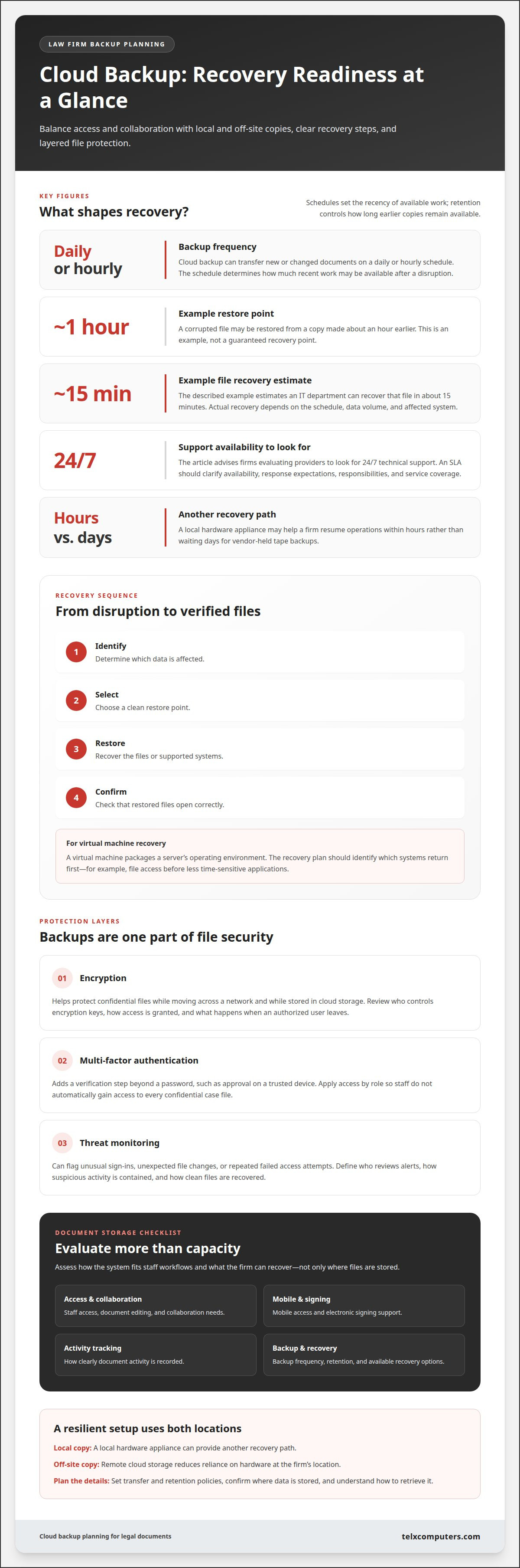
Cloud backup copies selected files from a firm’s network to remote cloud storage. It can run daily or hourly, transferring new or changed documents rather than copying everything each time. The schedule determines how much recent work is available after a disruption. Retention settings determine how long earlier copies remain available, which matters if corruption goes unnoticed before the latest backup.
Recovery follows a defined sequence: identify the affected data, choose a clean restore point, restore files, and confirm they open correctly. For example, a cloud backup solution may restore a corrupted file from a copy made about an hour earlier. The described example estimates an IT department can recover that file in about 15 minutes. Actual recovery depends on the backup schedule, data volume, and the affected system.
A service-level agreement (SLA) should clarify support availability, response expectations, recovery responsibilities, and what the service covers. Firms evaluating providers are advised to look for 24/7 technical support. A local hardware appliance can provide another recovery path: the described approach may help a firm resume operations within hours rather than waiting days for vendor-held tape backups. The right IT support for law firms can align recovery planning with document workflows and network dependencies.
Virtual machine recovery covers more than individual documents. A virtual machine packages a server’s operating environment, so restoring it can help bring supported systems back together after a server failure. The recovery plan should identify which systems need to return first, such as file access before less time-sensitive applications. This links technical recovery steps to the firm’s daily work.
For small and midsize firms, price depends on data volume, retention, backup frequency, recovery objectives, and local hardware, and is provided after a quote request. These factors shape the storage and support required, so the right plan begins with the firm’s files, systems, and recovery priorities.
Encryption, multi-factor authentication, and threat monitoring
Encryption helps protect confidential legal files while they move across a network and while stored in cloud storage. It makes data unreadable without the correct key. A security review should establish who controls those keys, how access is granted, and what happens when an authorized user leaves. These details matter because encryption alone cannot prevent an authorized account from exposing information.
Multi-factor authentication adds a verification step beyond a password. For example, signing in may require a password and approval on a trusted device. This can make a stolen password less useful to someone attempting unauthorized access. Apply access controls by role, so a staff member handling billing cannot automatically open every confidential case file.
Threat monitoring adds visibility beyond traditional backups. Monitoring can flag unusual sign-ins, unexpected file changes, or repeated failed access attempts for investigation. A response process should identify who reviews alerts, how suspicious activity is contained, and how clean files are recovered. A ransomware protection plan connects prevention, detection, and recovery rather than treating backup as the only safeguard.
For Microsoft 365, clarify whether the backup covers the firm’s email and documents, how long copies are retained, and what reports show. Useful reporting identifies backup status, failed jobs, retention periods, and restore activity. These records help an administrator spot a missed backup before a disruption makes the gap urgent. Secure sharing also requires permissions that limit access to intended recipients; avoid treating a broadly shared link as equivalent to controlled access.
For firms in Aventura, local support and data-center location are separate decisions. Choose support based on whether the firm needs remote assistance or on-site help, then establish where backup data is stored and how that location affects recovery and contractual commitments. A provider’s name alone answers neither question. The service arrangement should explain support channels, access controls, encryption-key responsibility, and how the firm can retrieve its data.
How Can a Provider Help Choose the Right Document Storage Solution?
A provider can map document workflows, existing hardware, and recovery needs before recommending storage. This helps tailor cloud backup solutions for law firms in Aventura to sensitive client data and the firm’s operations.
Off-Site Cloud Storage
Cloud backup copies selected law-firm data from office systems to remote infrastructure. A provider identifies which file shares, email, and case documents need protection, then sets transfer and retention policies. Off-site copies reduce reliance on hardware at the firm’s location, where a disaster could disrupt working files and local backups. The firm should understand where data is stored and how to retrieve it.
Privacy obligations depend on the information and parties involved. HIPAA may be relevant to health information, according to the U.S. Department of Health and Human Services. GDPR may be relevant in its regional context, according to the European Union.
Backing Up On-Premises Data
For on-premises file shares, a provider inventories servers, folders, and business-critical systems. This map guides what transfers to cloud storage and how the network supports those transfers. The provider plans migration around the firm’s workflows, preserving access structures and retention policies while limiting disruption.
Testing follows migration. A provider restores selected files and confirms that staff permissions still work. For example, a case folder should remain available to its assigned team, not become broadly accessible. Testing can reveal transfer gaps before the firm relies on cloud copies during data loss or ransomware recovery.
Client Data Confidentiality
Confidentiality depends on controlled access during employment and after departure. A provider can align folder permissions with job responsibilities and include account removal in offboarding. Removing a departing employee’s access helps prevent continued access to stored client files.
For cloud backup solutions for law firms in Aventura, a provider can also define how data transfers from office hardware and who administers the process. A structured assessment, migration, and restore test gives the firm a practical view of coverage and access.
Hybrid backups with local and off-site copies
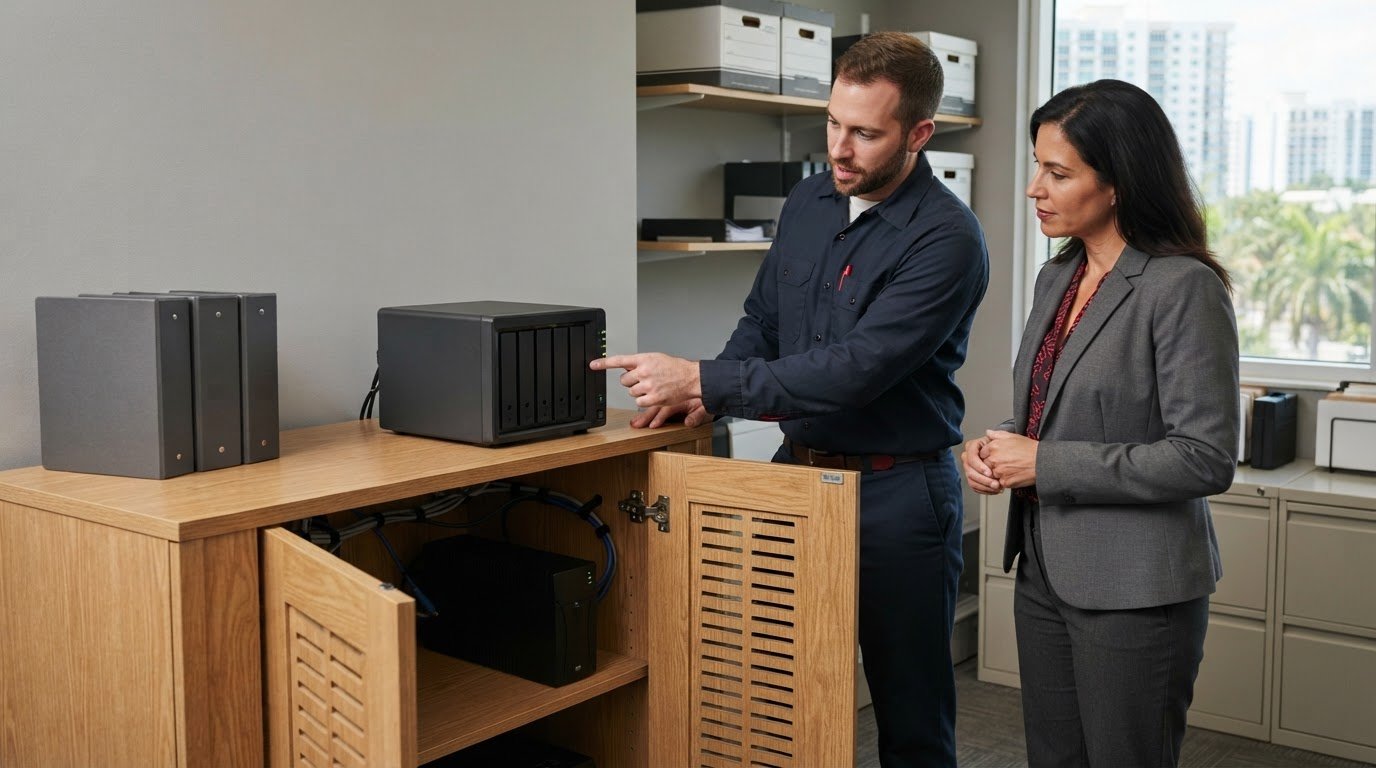
A hybrid backup plan keeps one copy close to the firm and another away from its office. Each addresses a different risk: local servers can support faster access, while backups stored elsewhere reduce exposure to a localized incident. For Aventura lawyers, the design should connect backup locations, recovery priorities, and access policies.
A digital backup server can back up firm data nightly while remaining on site. If a workstation fails, staff may be able to restore a folder from that local copy without retrieving it from remote storage. But a server in the office shares the building’s risks. A fire, flood, or other incident affecting the location can also affect the local backup.
That is why the off-site copy matters. The backup plan should send protected data to a separate location and clearly record which servers, shared folders, and devices it covers. Geographical separation helps limit data loss from an incident confined to one area. The provider should also define retention policies and test that lawyers can restore the files and permissions they need.
Local and off-site copies work best as coordinated parts of recovery, not isolated systems. For example, a firm can use its on-site server for a quick restore after a hardware fault, then rely on the remote copy if the office becomes unavailable. Access controls should limit who can change backup policies or delete copies, reducing the risk that unauthorized changes affect both recovery paths.
Review the recovery sequence with the people responsible for restoring files: which copy they use, which systems return first, and how restored access is confirmed. The answer may differ for a case folder and a firm-wide file server. Discuss a backup and disaster recovery plan that fits your firm’s systems and priorities.
Telx Computers: Cloud Computing
Telx Computers helps law firms connect Cloud Computing with Data Backup & Disaster Recovery planning. Turn to this support when your firm needs to align document access, cloud storage, and recovery priorities rather than treat each as a separate decision.
A practical plan starts with your current systems, the files staff rely on, and the disruptions your firm needs to prepare for. Telx Computers can assess how cloud computing and backup fit those operational needs, so the approach reflects your practice rather than a generic storage setup.
If you’re ready to discuss a cloud and recovery plan for your firm, contact Telx Computers.
Make Your Backup Plan Part of Daily Operations
Choosing cloud backup solutions for law firms in Aventura means accounting for how the practice changes, not just its current file structure. New matters, shifting staff responsibilities, and updated workflows can affect which documents need protection and who should have access. Build a regular review into technology planning so backup priorities keep pace with the firm.
Assign responsibility for reviewing access, retention, and recovery procedures as the practice evolves. That gives the team a clear way to address changes before they create gaps in day-to-day operations. Telx Computers brings Managed IT Services, Network Security, and 24/7 Help Desk Support together to support a more coordinated technology environment.
When you’re ready to put a plan in motion, contact Telx Computers to discuss the needs of your law firm. A considered next step can help your team move forward with greater clarity.
Frequently Asked Questions
Is Cloud Storage Less Secure Than a Server?
Neither cloud storage nor an office server is automatically more secure; security depends on configuration and ongoing administration. An on-site server can face physical risks, while cloud accounts can be exposed through weak access practices. Assess who administers each system, how access changes when staff leave, and how security events are reviewed. Compare those responsibilities, not just the storage location.
What Do the Ethics Rules Require When You Store Client Files in the Cloud?
ABA Model Rule 1.6(c) requires lawyers to make reasonable efforts to prevent unauthorized access to client information. In practice, a firm should consider what information it stores, who can access it, and how the arrangement protects confidentiality. For example, access for a temporary contractor should be limited to the files needed for assigned work, then removed when that work ends.
Where Does Basic Cloud Storage Fall Short for Law Firms?
Basic cloud storage may not provide a complete, firm-managed backup and recovery plan. A shared folder that mirrors deletions or unwanted changes may not provide a separate, usable copy. If a case file is altered in error, the firm needs a way to identify an earlier version and restore it without disrupting unrelated client matters. Confirm how recovery and retention are handled.
Which Features Matter for Law Firm Cloud Storage?
Prioritize features that fit legal workflows: matter-based permissions, file version history, searchable activity records, and practical recovery options. A lawyer collaborating on a brief may need simultaneous document access, while support staff may need narrower folder permissions. Consider how the system handles document signing, mobile access, and file export if the firm changes platforms. The right mix depends on daily work.
What cloud backup solutions are designed for law firms?
Law firms can use managed backup services configured for office servers, shared files, email, and cloud-based workspaces. The design should reflect which systems hold active matters and how the firm needs to recover them. For example, a firm relying on a local file server needs coverage for that server, not just employees’ laptops. Cloud backup and document collaboration are related, but serve different purposes.
Which cloud backup providers meet ABA confidentiality and data-security guidance?
Evaluate a provider by its documented safeguards and the firm’s own confidentiality needs, rather than relying on a general compliance label. ABA Model Rule 1.6(c) focuses on reasonable efforts to prevent unauthorized access. Review who can access client data, how incidents are handled, what the service agreement assigns to each party, and how the firm can retrieve its records if the relationship ends.