




10 Nov Secure Remote Access Services for Miami Accounting Firms
A password alone shouldn’t stand between remote workers and sensitive client records. Secure remote access for accounting firms in Miami combines multi-factor authentication, role-based permissions, and protected connections so staff can reach the information they need without opening every system to every user.
Accounting teams need flexibility to work across locations, but access must remain controlled. The right setup protects financial data while giving employees the tools they need to do their jobs.
This article explains how IT support, multi-factor authentication, role-based permissions, and secure remote access technologies work together. Learn what to consider for remote and hybrid teams, how access controls reduce exposure, and when managed IT support can help keep security aligned with daily operations.
Key Takeaways
- Protect client records by combining secure remote connections with IT support and a written security plan.
- Support hybrid accounting teams with protected cloud access and communication practices that keep work organized across locations.
- Use multi-factor authentication and role-based permissions to limit access to sensitive information based on each employee’s needs.
- Choose remote access controls that fit your firm’s workflows, including secure network connections and appropriate access restrictions.
IT support for CPA firms, bookkeepers, and tax preparers
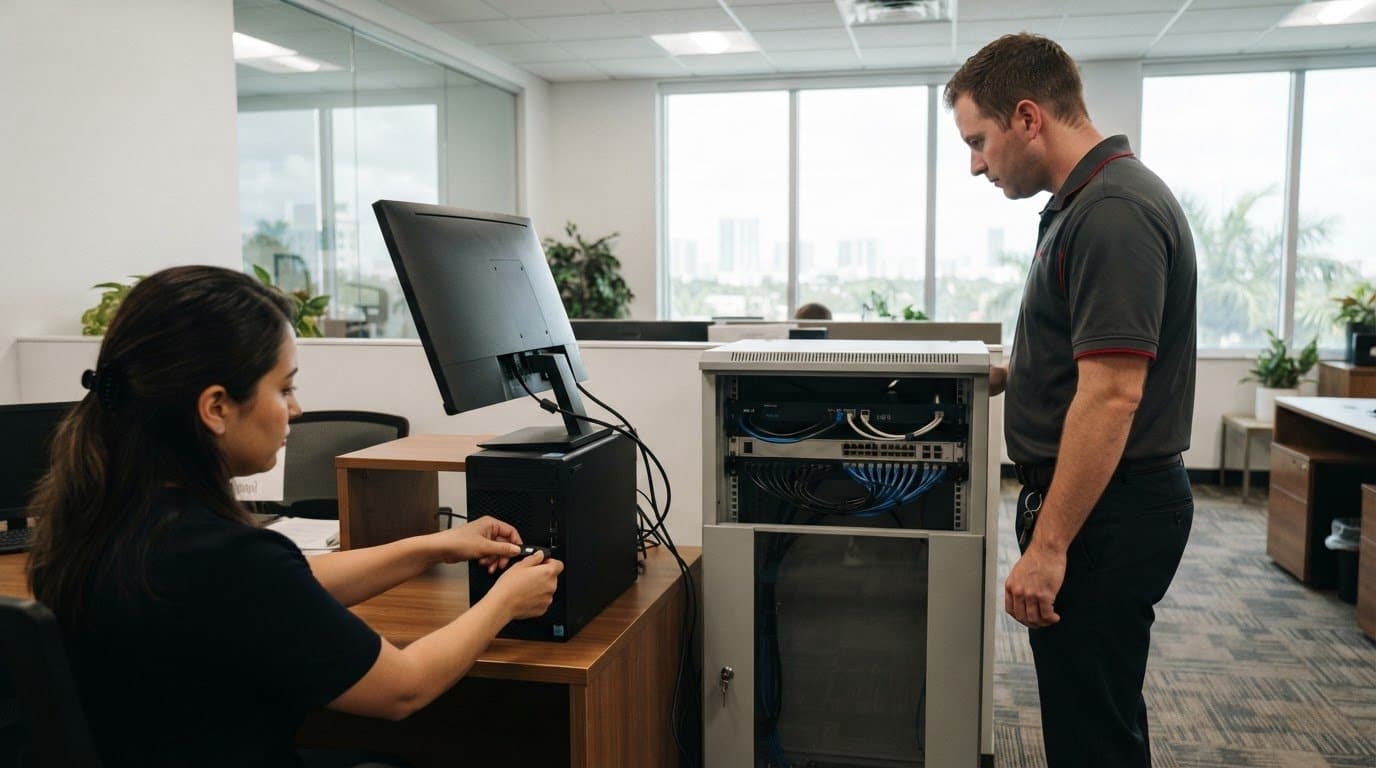
Accounting teams need remote access that protects client data without interrupting daily work. In Miami, Aventura, Fort Lauderdale, and across South Florida, IT support can coordinate office networks, employee devices, accounting software, and secure connections. For distributed CPA firms, consistent access controls help staff work from different locations while keeping sensitive files within approved systems. Monitoring can also help identify unusual activity and connectivity issues before they disrupt client work.
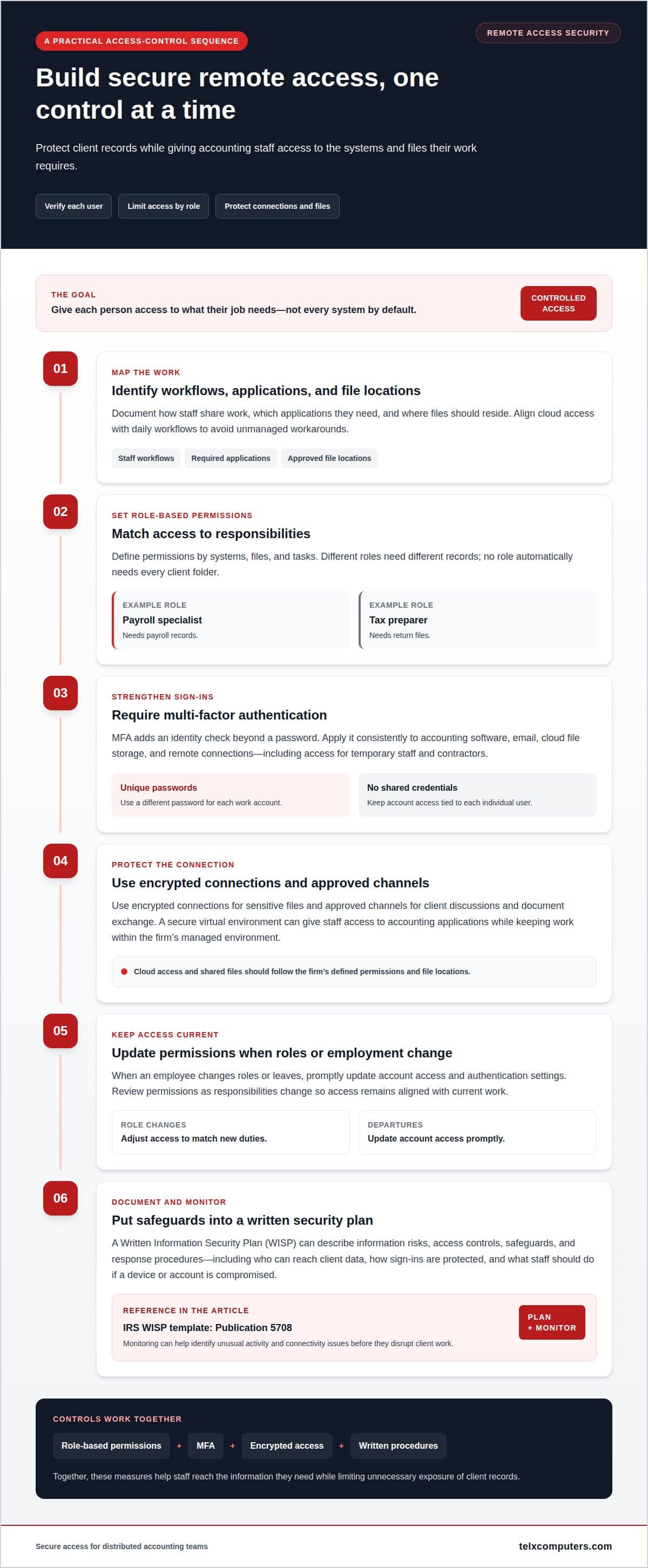
A Written Information Security Plan (WISP) turns security practices into documented steps. The Internal Revenue Service publishes a Written Information Security Plan template as Publication 5708. A firm can use a WISP to describe its information risks, access controls, safeguards, and response procedures. For remote access, the plan should explain who can reach client data, how sign-ins are protected, and what staff do if a device or account is compromised.
What are the IRS and FTC Safeguards Rule requirements for accounting firms’ remote access? The FTC Safeguards Rule requires covered financial firms, including accounting firms, to maintain a formal information security program. Relevant safeguards include risk assessments, access controls, encryption, multi-factor authentication, and staff training. An IRS WISP template can help organize written procedures.
What cybersecurity and data-breach notification laws apply to Miami accounting firms? The Florida Information Protection Act requires reasonable measures to protect personal information. It also requires notice to affected individuals within 30 days of determining a breach occurred, and notice to the Florida Department of Legal Affairs when 500 or more Floridians are affected.
Which Miami IT providers offer secure remote access for accounting firms? Look for a local business IT provider that can coordinate network security, device monitoring, software access, and support for distributed staff. Key risks include stolen credentials, unpatched devices, unsafe connections, and downtime during tax-season deadlines. Reduce exposure with timely software updates, limited permissions, multi-factor authentication, secure backups, and a documented incident process. A support team can also track recurring access failures and address them before they stall tax preparation.
Can you support remote or hybrid accounting teams?
Yes. A cloud-based setup can give a CPA firm consistent access to accounting applications and shared files across office and remote locations. The design should protect sensitive information while keeping everyday collaboration practical.
Cloud Collaboration and Protected Communications
Cloud collaboration lets staff work with shared documents and accounting applications without relying on a single office computer. A secure virtual environment can provide tax and accounting software to employees in different locations. For example, a remote preparer can use the same approved application as an office colleague while keeping work within the firm’s managed environment.
Protected communications matter, too. Firms should use encrypted connections for sensitive files and approved channels for client discussions and document exchange. During implementation, map how staff share work, which applications they need, and where files should reside. This helps align cloud access with daily workflows instead of creating separate, unmanaged workarounds.
Secure Cloud File Access
Secure file access depends on clear permissions, encryption, and reliable backups. Assign access according to each employee’s responsibilities, then update permissions when roles change. A bookkeeper handling reconciliations may need different folders from a tax preparer reviewing returns. These boundaries help limit unnecessary exposure of client records.
Cloud hosting can also support accounting software without requiring every worker to store files locally. Before a migration, document the applications, user access needs, existing data, and backup approach. A virtual desktop can provide a consistent work environment across devices, while centralized administration helps keep software and files organized. Test access and workflows before moving routine work, and confirm that backups cover the records the firm needs to restore.
For a Miami accounting firm, managed cloud services can bring hosting, file access, and managed IT support into one coordinated plan. The right design depends on software compatibility, employee roles, communication habits, and the firm’s recovery needs.
Multi-factor authentication and role-based permissions
Remote accounting access should verify each user and limit access to necessary systems. Make multi-factor authentication, role-based permissions, encryption, risk assessments, and staff training core cybersecurity controls.
Multi-Factor Authentication Practices
Multi-factor authentication (MFA) adds an identity check beyond a password. Require it for employees accessing network areas containing sensitive financial data. Use unique passwords for each work account, and never share credentials among staff. When an employee changes roles or leaves, promptly update account access and authentication settings. These steps make access controls more consistent across office and remote work.
Passwords still matter. A strong, unique password helps protect an account, while MFA can block access if a password is stolen. Apply MFA consistently to accounting software, email, cloud file storage, and remote connections. Include temporary staff and contractors who can access client records. The FTC Safeguards Rule identifies multi-factor authentication as a relevant safeguard for covered firms.
Role-Based Permissions
Role-based permissions give employees access according to their job duties. For example, a payroll specialist may need payroll records, while a tax preparer needs return files. Neither role automatically needs access to every client folder. Define access by systems, files, and tasks, then review it when responsibilities change. This limits unnecessary exposure without blocking routine work.
Encryption protects information stored on devices and sent through remote connections. Drive encryption can help protect financial data if a laptop is lost, while encrypted connections protect information in transit. Use these safeguards alongside MFA, not as replacements for it. Firms should also account for shared devices and remote work locations when designing access rules.
Implementation works best as a managed process: map user roles, assign permissions, enable MFA, and test access to essential software. Review sign-in and permission records for unexpected changes, then adjust controls as workflows evolve. A network IT support plan can help align these access controls with the firm’s infrastructure.
Secure remote access technologies
Secure remote access depends on how users, devices, networks, and applications connect. A practical design layers encrypted connections with identity checks and restricted access. Each control should support the firm’s workflow while protecting client records. For a Miami accounting firm, the key decision is how to secure access without disrupting work across office and remote locations.
Require employees to use a VPN when accessing work over public Wi-Fi. A VPN protects the connection between a remote device and firm resources, but it does not replace account controls. Remote-access routers should also meet encryption standards. Configure them with approved settings, restrict administrative access, and keep their software current. These steps help reduce exposure through weak connections or outdated network equipment.
Application-level segmentation adds another layer of protection. It separates access to specific tools and data instead of treating every remote user as part of one trusted network. Geographic restrictions can also limit access based on the firm’s operating needs. A managed SASE platform can combine identity-based controls with Zero Trust policies, evaluating access to applications rather than granting broad network entry.
Build the access path around actual work. Map which employees need each application, then apply controls to those users and systems. Test sign-in, file access, and application performance from approved remote locations before rolling out changes. During tax season, this helps teams identify access problems before deadlines intensify. Monitoring connection activity can also reveal unusual patterns that merit investigation.
Secure remote access for accounting firms in Miami requires a coordinated system: encrypted connections protect traffic, identity controls verify users, and segmentation limits what each connection can reach. It also depends on a breach response process that documents how to disable access, secure affected accounts, and review remote connections in line with the firm’s written security plan.
To align these safeguards with your firm’s network, get support securing remote access.
Telx Computers: IT Consultant Firm
Telx Computers helps accounting firms coordinate remote access with the broader needs of their IT environment. Its Managed IT Services and Network Security can support firms as they review user access, protect connections, and maintain dependable systems for office and remote work.
Turn to an IT consultant when access controls have grown inconsistent, accounting software is difficult to support across locations, or security and day-to-day operations need a more coordinated approach. Telx Computers can help align IT support with your firm’s workflows, while 24/7 Help Desk Support gives employees a resource for technical issues that interrupt their work.
Contact Telx Computers to discuss your firm’s remote access needs.
Make Secure Access Part of Your Firm’s Next Step
Secure remote access for accounting firms in Miami should evolve with the way your team works. New employees, changing responsibilities, updated software, and shifting client workflows can all affect who needs access and how. Treat access governance as an ongoing part of operations, not a one-time technology setup.
A useful next step is to map the systems your team relies on and identify where access decisions need clearer ownership. This gives your firm a practical starting point for aligning technology, security, and daily work. Telx Computers can help accounting firms assess those needs and shape an IT approach around their operations.
When you’re ready to discuss your firm’s priorities, start a conversation with Telx Computers. A focused discussion can help clarify the next steps toward a more manageable remote-access environment.
Frequently Asked Questions
How do you protect client financial data?
Protect client financial data by controlling how records enter, move through, and leave firm systems. For example, use approved document-sharing channels instead of personal email, and avoid saving client files to unmanaged devices. Establish a process for retaining old records, too. Clear procedures help staff handle tax documents consistently and make unusual file access easier to investigate.
Do you provide IT support specifically for accounting and CPA firms?
Yes. Telx Computers provides IT support for accounting offices through Managed IT Services. Support can address the systems employees rely on for client work, including business networks, email, and accounting software environments. For a CPA firm, start by understanding current workflows, team access needs, and technology issues, then align IT support with those operational priorities.
What secure remote access options are available for accounting firms?
Common options include VPN connections, cloud-hosted accounting applications, virtual desktops, and secure cloud file access. A firm using specialized software may prefer a hosted application or virtual desktop, while staff who need broader network resources may use a VPN. The right fit depends on application compatibility, employee workflows, and whether files need to remain within a managed environment.
How do VPNs, zero-trust access, and remote desktops compare for accounting firms?
A VPN creates an encrypted connection to a firm network, which can suit employees who need access to several internal resources. Zero-trust access grants entry to specific applications after evaluating identity and access conditions. A remote desktop lets staff use a hosted or office-based computer from another device. Compare the options based on application needs, user workflows, and the level of network access required.
How should accounting firms secure remote access to tax and financial data?
Start by assigning each employee an approved work device and a defined set of applications. Keep client documents in managed storage rather than personal folders, and use firm-approved channels to exchange files. Review access when seasonal staff leave or duties change. These practical steps reduce unmanaged copies of tax records and help keep permissions aligned with current responsibilities.