




03 Nov IT Company in Aventura for Managed Services and Support
With more than 4,000 companies in Aventura, choosing an IT company in Aventura means looking beyond emergency fixes. The right support connects managed IT and proactive maintenance with network setup, cabling, and computer support. That joined-up approach helps keep the technology behind daily work organized and dependable.
It’s easy to focus on one problem, such as a slow computer or unreliable connection. But devices, cabling, networks, and ongoing support all affect how smoothly a business operates, so it helps to understand how these parts work together.
This article explains what managed IT support can cover, how network setup and cabling contribute to a reliable workplace, and what to consider when choosing an IT partner. It also looks at cybersecurity, cloud services, and backup planning, helping you identify support that fits your business.
Key Takeaways
- Learn how thoughtful network planning and structured cabling can support reliable connections across your workplace.
- Use practical criteria such as communication, documentation, and strategic guidance to assess IT support for your business.
- Understand how local IT providers may differ in their focus, from cybersecurity to cloud services and data backup.
- See how managed support, network security, and cloud computing can work together to address ongoing technology needs.
Network setup, cabling, and computer support
Aventura’s business technology depends on reliable computers, networks, and physical connections. The U.S. Census Bureau estimates the population at 39,880 residents as of July 1, 2025 (V2025).
Computer Support Services
Computer support covers practical issues such as a workstation that won’t connect, a printer that drops offline, or software that disrupts daily tasks. A support team can identify whether the cause is the device, network, account, or application, then document the fix. Look for support that connects troubleshooting with network security and monitoring, so recurring problems and potential threats are considered in the context of your broader system.
On-Site Support and Coverage Areas
On-site support comes from IT firms that dispatch technicians to business locations. For Aventura offices, coverage depends on the provider’s service geography, which may include nearby South Florida communities. This format suits physical tasks, such as connecting a workstation, tracing a cable, or setting up network equipment. Remote support can handle many software and account issues without a site visit. Match the support method to the problem: equipment and cabling often need hands-on attention, while access settings can often be reviewed remotely.
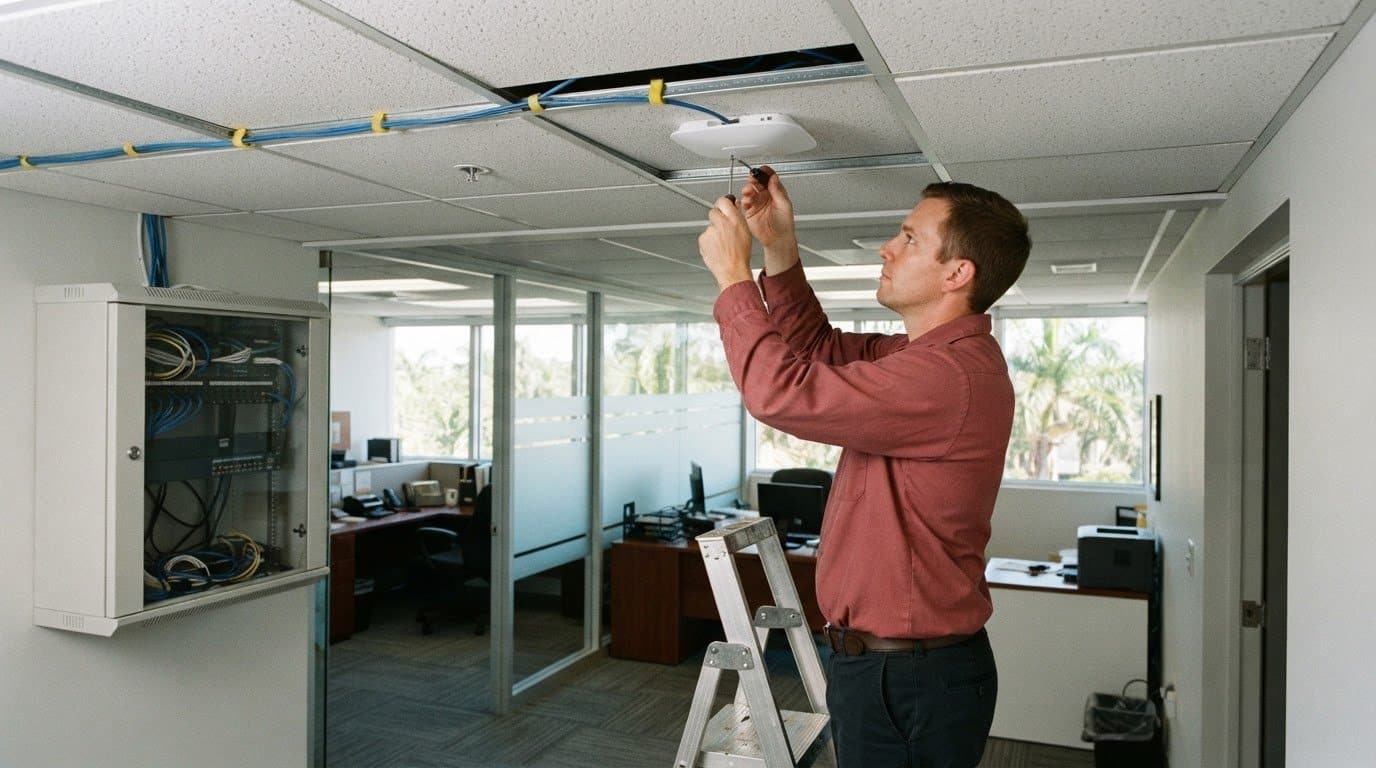
Network setup starts with understanding how staff, devices, and business applications connect. A practical sequence is to map work areas, position network equipment, run and label cabling, then test each connection. Clear labels help technicians trace lines later, while a simple network diagram records where switches and access points are located. These details make future changes easier to manage.
- Identify where computers, printers, and access points need connections.
- Label cable runs and document the equipment each line serves.
- Test wired and wireless connections before staff rely on them.
For businesses in Aventura and across South Florida, network planning should also consider how monitoring can reveal unusual device or connection activity. A well-documented setup gives support teams useful context when troubleshooting interruptions or investigating threats. It also helps keep computer support, cabling, and network changes aligned as the workplace evolves.
Choosing an IT company
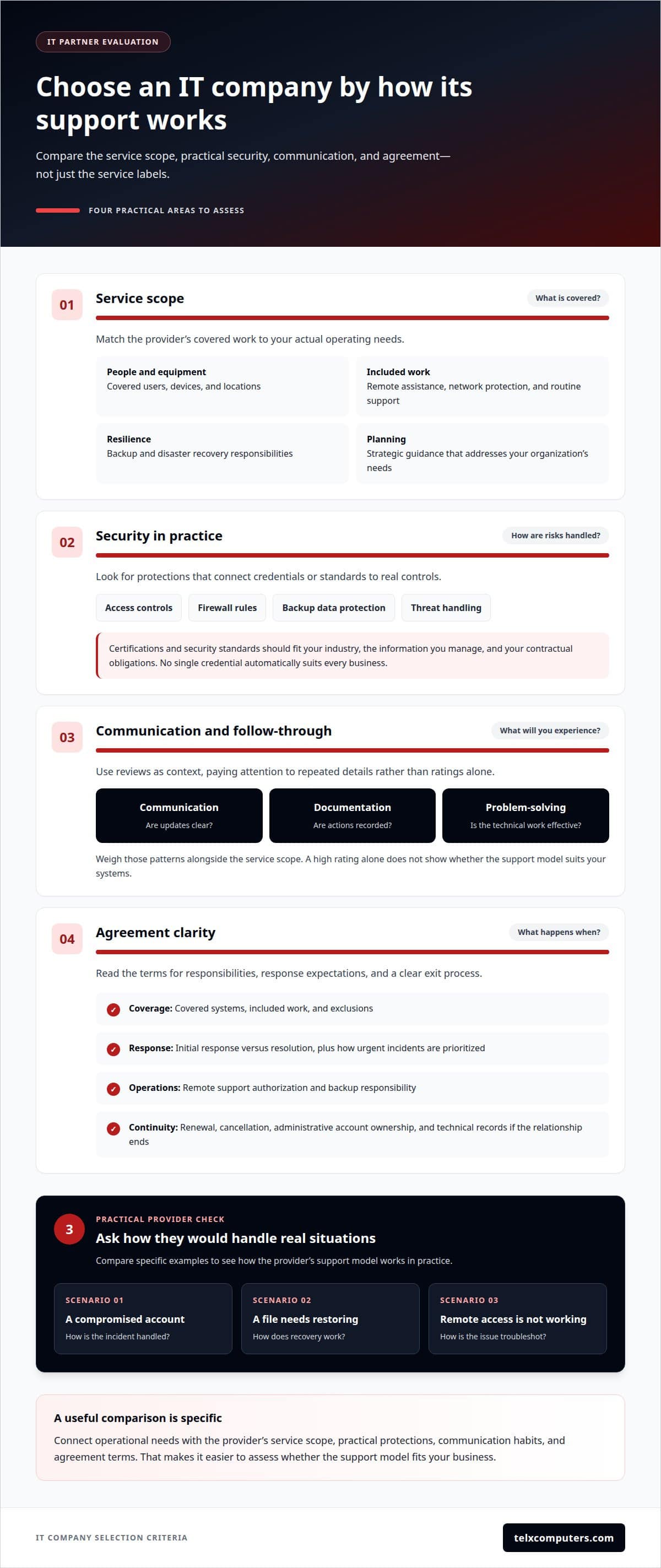
An IT company in Aventura should fit your operations, security needs, and support expectations. Compare the work included, not just the service labels. Determine whether network protection, backup and disaster recovery, remote assistance, and strategic guidance address your organization’s needs. A clear service scope makes it easier to assess how well a provider fits.
Compare providers using specific examples: how they handle a compromised account, restore files, or troubleshoot remote access. Reviews and ratings can add context, but look for repeated details about communication, follow-through, and technical problem-solving. Weigh those patterns alongside the service scope. A high rating alone doesn’t show whether the support model suits your systems.
Certifications and security standards should match your industry, the information you manage, and your contractual obligations. No single credential automatically suits every business. Ask how the provider documents security controls, manages firewall rules, protects backup data, and handles threats. The answers should connect standards or credentials to practical protections, rather than rely on broad claims. Telx Computers follows security best practices recommended by the National Institute of Standards and Technology (NIST).
Contract terms should define covered systems, included work, exclusions, renewal and cancellation conditions, and responsibility for backups. Response-time commitments should distinguish an initial response from resolution and explain how urgent incidents are prioritized. Check how remote support is authorized and documented. Clarify who owns administrative accounts and technical records if the relationship ends.
- Scope: Match covered users, devices, locations, and tasks to your needs.
- Security: Review controls for access, firewall management, backup, and detection.
- Communication: Look for clear updates, documentation, and escalation steps.
- Agreement: Understand response targets, exclusions, and exit procedures.
Use these criteria to connect operational needs with a workable support model. For a closer look at how managed IT support services can fit into that model, review the service details alongside your requirements.
What IT companies are located in Aventura, Florida?
For an Aventura business, consider whether a provider has a local presence and how it delivers support, especially for equipment installation or problems that require physical access. Telx Computers supports businesses in Aventura and throughout Miami and South Florida, combining remote assistance with on-site support. The service model matters as much as the company name.
IT providers commonly fall into several service categories. Managed service providers oversee ongoing business technology. Network specialists focus on connectivity and equipment. Cybersecurity firms concentrate on threat prevention and response. Some companies combine these roles, while others focus on a narrower need, such as cloud systems or backup planning. This distinction helps turn a broad local search into a practical shortlist.
To map the options, organize providers by the work your business needs:
- Ongoing support: Help with user devices, routine maintenance, and technical issues.
- Network projects: Setup, equipment changes, and connectivity troubleshooting.
- Security and recovery: Protection planning, backup processes, and incident response.
- Technology planning: Guidance on systems, growth, and operational priorities.
Then compare each firm’s service area and delivery model. A provider may support Aventura remotely, visit business sites, or combine both approaches. Remote assistance can address account access, for example, while an on-site visit may suit hardware installation. Ask which tasks each model covers and how the provider handles issues requiring a different approach.
Keep the comparison tied to your organization’s needs. If an office mainly needs ongoing troubleshooting, a firm focused on one-time network projects may be a poor fit. If cybersecurity planning is the priority, look for relevant capabilities instead of relying on a broad “IT services” label. A category-based comparison shows which providers match the work, coverage, and support relationship your business needs.
IT company pricing for Aventura businesses depends on users, devices, service scope, cybersecurity needs, cloud systems, support coverage, locations, compliance requirements, and project work.
Which local IT providers specialize in cybersecurity, cloud services, or data backup?
In Aventura, providers may focus on cybersecurity, cloud environments, or backup planning, or combine these capabilities. Compare them by the problem they solve. A security-focused firm may assess endpoint, email, network, and user-access controls. A cloud-focused provider may manage hosted systems and account access. A backup specialist concentrates on preserving business data and planning recovery.
Some businesses need one coordinated support relationship rather than separate vendors. A compromised email account, for example, can affect cloud access and expose stored files. A provider that understands those connected systems can coordinate security controls, account response, and recovery planning. Compare the work described, not just labels such as “cybersecurity” or “cloud services.”
Use these areas to assess a provider’s practical focus:
- Cybersecurity: Review how it protects endpoints, email, networks, cloud accounts, backups, and user access.
- Cloud services: Check how the provider manages access, supports users, and plans system changes.
- Data backup: Understand what data is covered, how restoration is handled, and who coordinates recovery.
Ask for a clear explanation of the process using a business example. If an employee loses access to a cloud account, who investigates, limits further access, and restores normal work? For deleted files, clarify which backup sources support recovery and how restoration fits the company’s workflow. These scenarios show whether the provider’s capabilities connect to daily operations.
Also consider how the provider documents security reviews and follows up on identified gaps. A cybersecurity audit should translate findings into prioritized actions, such as strengthening access controls or improving backup practices. Cloud planning should account for how employees use shared files and business applications. Data protection works best as part of an organized operating plan, not as an isolated tool.
For a focused next step, review ransomware protection options alongside your security and recovery priorities.
Security-focused providers work on endpoint, email, network, and account controls; cloud specialists manage hosted systems and access; backup providers focus on data preservation and recovery planning. Some offer a coordinated combination of these services.
Telx Computers: Managed IT Services
Telx Computers helps businesses bring ongoing technology support under a coordinated managed IT approach. Turn to the team when recurring technical issues, security concerns, or cloud needs require consistent attention rather than disconnected fixes.
Managed IT Services can align day-to-day support with Network Security and Cloud Computing. 24/7 Help Desk Support gives employees a channel for technical assistance, while a connected approach helps keep business systems and support priorities in view. The right next step is to discuss your current setup, key challenges, and the support your organization needs.
Contact Telx Computers to discuss managed IT support for your business.
Turn your IT priorities into a practical plan
The next step is to connect your technology decisions to the way your business operates. Identify the issues that disrupt work, the systems that need stronger protection, and the support your team needs as priorities change. A well-matched IT company in Aventura can bring those needs into one coordinated approach instead of treating each concern as a separate fix.
Telx Computers offers Managed IT Services, 24/7 Help Desk Support, and Network Security. These services can support organizations seeking ongoing technical help alongside a more deliberate approach to protecting business systems. Share the operational challenges that matter most, such as recurring support needs or security priorities, and use that conversation to define a sensible next step for your organization.
Contact Telx Computers today to discuss the IT support your business needs. A clearer plan can help your team move forward with greater focus and confidence.
Frequently Asked Questions
Which Aventura IT companies offer managed IT services and help desk support?
Telx Computers offers Managed IT Services and 24/7 Help Desk Support for businesses in Aventura. To make an initial discussion productive, outline the systems your staff relies on and the recurring issues that interrupt work. Include examples such as employee onboarding, access problems, or trouble reaching shared files. This gives the support team practical context for understanding your environment and priorities.
How can a business choose and hire an IT company in Aventura?
To hire an IT company in Aventura, start with an inventory of business systems, recurring disruptions, and upcoming technology changes. Assign an internal contact who can explain workflows and coordinate decisions. Before work begins, agree on how system information and administrative access will be transferred, who approves changes, and how progress will be communicated. These steps create a more orderly start and clearer accountability.
How do Aventura IT companies compare by services, reviews, and ratings?
Compare providers by their actual services, such as ongoing support, network projects, cybersecurity, cloud services, and backup planning. Reviews and ratings can provide context; look for repeated comments about communication, follow-through, and technical problem-solving, alongside the provider’s service scope.
What certifications and security standards should an Aventura IT provider have?
There is no single credential that suits every business. Choose certifications and security standards that match your industry, the information you manage, and contractual obligations. Ask how they support documented controls for access, firewalls, backups, and threat detection.