




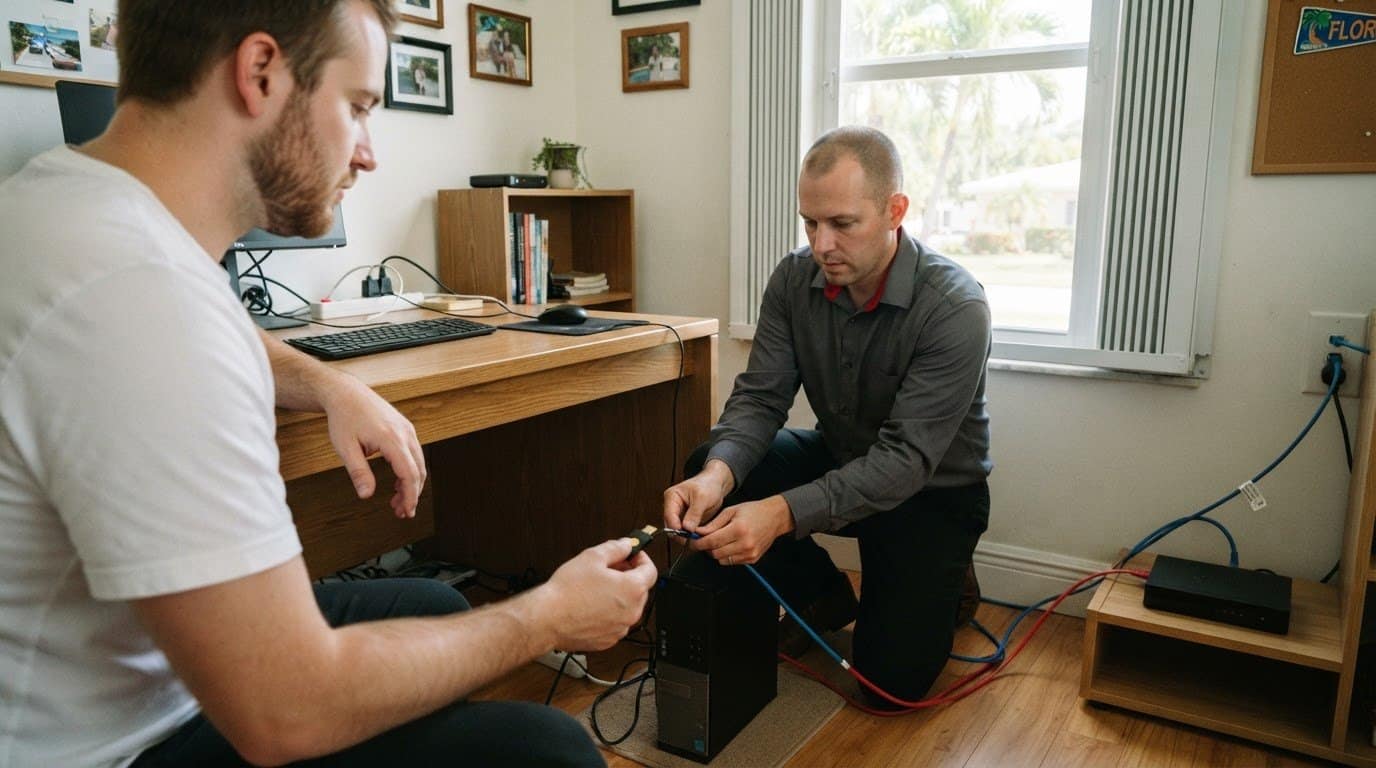
08 Nov Endpoint Security for Fort Lauderdale Remote Employees
Yes, remote employees need ransomware protection, and antivirus alone may not address the risks of working across home networks, cloud apps, and mobile devices. Endpoint security for remote employees in Fort Lauderdale should combine device monitoring, secure remote access, firewalls, and multi-factor authentication to help protect business systems and data.
It’s understandable to want employees to work flexibly without creating new openings for attackers. Secure each device and the connections it uses, then make it easier to spot suspicious activity and respond before it disrupts operations.
This article explains how ransomware protection and endpoint detection and response support remote work, what firewalls, VPNs, and account security contribute, and how managed IT and network security can bring these safeguards together. You’ll also learn what to consider when planning protection for your team, devices, and work habits in Fort Lauderdale.
Key Takeaways
- Endpoint detection and response helps identify suspicious activity across desktops, laptops, and servers, giving security teams a clearer path to investigate and respond.
- Firewalls and secure remote access help limit exposure when employees connect from home networks or use cloud applications.
- Multi-factor authentication adds a second layer of account protection, reducing reliance on passwords alone.
- Coordinating device, network, and account safeguards can make remote work more resilient; managed IT and network security can help bring those protections together.
Endpoint detection and response for desktops, laptops, and servers
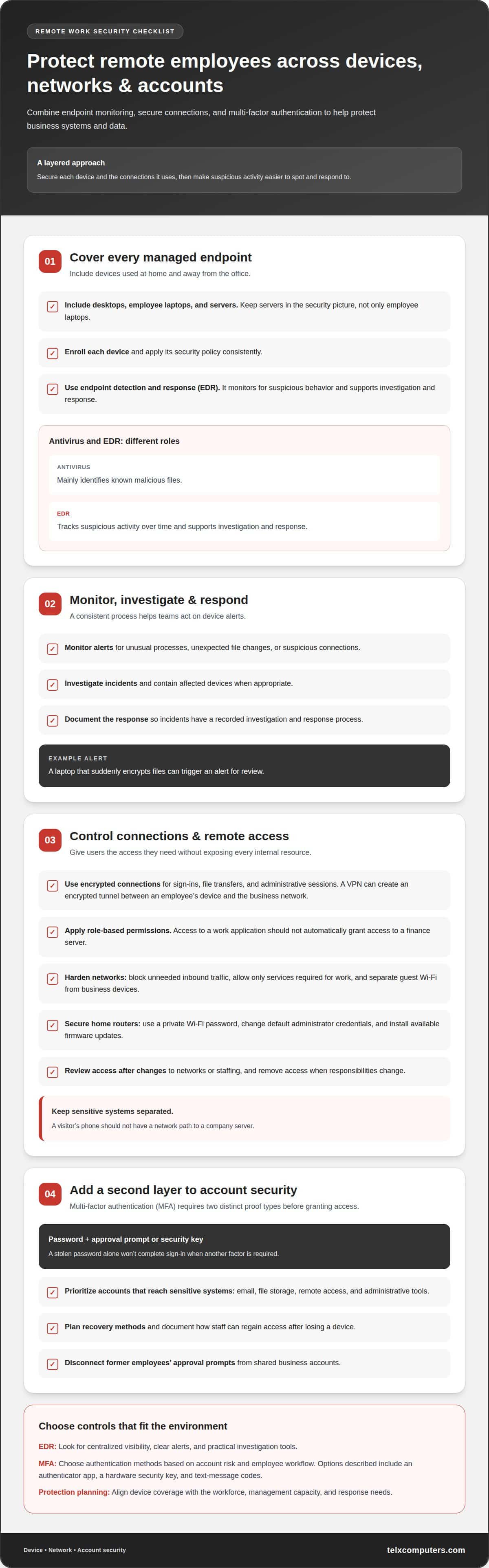
Endpoint detection and response, or EDR, monitors devices for suspicious behavior and supports investigation and response. Cover business desktops, employee laptops, and servers, including devices used away from the office. For example, a laptop that suddenly encrypts files can trigger an alert for review. A Fort Lauderdale business can align device coverage with its workforce through IT services in Fort Lauderdale.
EDR works best when every managed device follows a consistent process. Enroll the device and apply its security policy, then monitor alerts for unusual processes, unexpected file changes, or suspicious connections. Investigate incidents, contain affected devices when appropriate, and document the response. Telx Computers’ Server Monitoring System helps include servers in the security picture, rather than focusing only on employee laptops.
For a small business, the best endpoint security software is the option that fits its devices, management capacity, and response needs. Look for centralized visibility, clear alerts, and practical investigation tools. Antivirus mainly identifies known malicious files; EDR also tracks suspicious activity over time and supports investigation and response. An endpoint protection platform may combine several controls, with capabilities varying by product.
Firewalls add another layer of protection. Configure device firewalls to restrict unnecessary inbound connections, and use network firewalls to control traffic between business systems and external networks. Intrusion detection can flag suspicious network activity for investigation. For example, an unexpected connection attempt to a server should trigger an alert, not go unnoticed. Telx Computers’ Network Security can help coordinate firewall policies and endpoint monitoring.
Cybersecurity and data protection obligations for Fort Lauderdale businesses depend on the data they handle, their industry, and their contractual commitments. Map those requirements to practical controls, such as access restrictions, endpoint monitoring, and documented incident response. A cybersecurity audit from Telx Computers can help identify gaps between existing protections and business obligations.
Endpoint security software costs per user depend on device coverage, monitoring and response scope, and whether servers are included. Pricing depends on the specific case and is provided after a quote request, based on those requirements.
Firewalls, VPNs, remote access, and network hardening
A secure remote setup controls which users, devices, and services can connect. Firewalls, encrypted connections, and clear access rules help reduce unnecessary exposure.
Secure Access Protocols
Secure protocols protect information as it moves between a remote device and business systems. Use encrypted connections for sign-ins, file transfers, and administrative sessions, rather than sending credentials or data through unprotected channels. A VPN can create an encrypted tunnel between an employee’s device and the business network. A provider should define approved connection methods and restrict administrative access to authorized accounts and devices.
Remote and Cloud Access
Remote access should give employees the systems they need without exposing every internal resource. For example, an employee using a work application shouldn’t automatically get access to a finance server. Apply role-based permissions, require secure sign-in, and remove access when responsibilities change. For cloud access, protect accounts and review which apps can reach company data. Telx Computers’ Managed IT Services can help coordinate access policies across users and systems.
Network hardening starts with a clear inventory of connections. Configure firewalls to block unneeded inbound traffic, then allow only the services required for work. Separate guest Wi-Fi from business devices, and limit communication between sensitive systems. For example, a visitor’s phone shouldn’t have a network path to a company server. Review firewall rules after network or staffing changes so outdated access doesn’t remain open.
Home routers also affect remote access. Use a private Wi-Fi password, change default administrator credentials, and install available firmware updates. Employees should avoid connecting work devices to public Wi-Fi without an approved secure connection. On company-managed devices, enforce the same firewall and access policies at home, in a shared workspace, or in the office.
For Fort Lauderdale organizations, a managed provider can align remote access, cloud permissions, and network controls under one security plan. Managed IT Services can help coordinate those protections as work systems and employee access needs change.
VTC Tech recommends endpoint protection, secure access, and account security for remote employees using cloud apps, home networks, and mobile devices.
Multi-factor authentication
Multi-factor authentication (MFA) requires two distinct proof types before granting account access. A password is one factor; an approval prompt or security key provides another. If someone steals an employee’s password, that alone won’t complete sign-in. MFA adds a practical layer of protection for email, cloud applications, remote access, and administrator accounts.
Start with accounts that can reach sensitive systems. Enable MFA for email, file storage, remote access, and administrative tools. Assign recovery methods and document how staff can regain access after losing a device. A former employee’s approval prompt should never remain connected to a shared business account.
Choose authentication methods based on account risk and employee workflow. An authenticator app generates approval requests or temporary codes. A hardware security key requires a physical device during sign-in. Text-message codes may be easier to deploy, but organizations should consider stronger methods for accounts with administrative privileges or access to sensitive data.
- For email, require MFA before employees open business messages.
- For administrator accounts, use a separate sign-in and stronger authentication.
- For new devices, require an additional approval before access begins.
Make enrollment a controlled process. Identify the employee and confirm their business account, then register an approved authentication method and test a sign-in. Explain how staff should report unexpected prompts. If an employee receives an approval request they didn’t initiate, they should deny it and report the event through the established security process.
MFA works best as part of proactive cybersecurity, not as a substitute for other controls. Review account access when roles change, remove credentials when employment ends, and keep recovery procedures current. For Fort Lauderdale teams, a cybersecurity audit from Telx Computers can identify accounts that still rely on passwords alone and help prioritize MFA deployment.
Security for remote employees and remote work environments
Remote security depends on consistent device controls, safe work habits, and clear incident procedures. A defined approach helps teams reduce exposure across home offices, mobile devices, and shared workspaces.
Features for Remote Employees
Remote employees should use endpoint protection, device monitoring, encryption, and secure access controls. Keep operating systems and security tools current, and configure alerts for suspicious activity. Public Wi-Fi can expose traffic to interception or rogue access points. Employees should avoid sensitive work on unsecured networks and use an approved encrypted connection when access is necessary. Report unexpected sign-in prompts or device warnings promptly.
Employee-Owned Device Security
For employee-owned devices, set clear rules before allowing business access. Require a screen lock, supported operating system, current security updates, and separate work accounts. Limit company data to approved applications, and avoid storing business files in personal cloud accounts. Define how work data will be removed when an employee leaves or loses a device, while keeping personal information separate. These boundaries make access manageable without treating a personal device like company property.
Endpoint Security Deployment
Deploy protection through a repeatable sequence. Inventory remote devices and identify who uses each one, then set baseline policies for updates, encryption, access, and monitoring. Install and test endpoint tools before granting access to business systems. Explain how employees should report alerts, lost devices, or suspected attacks. Review coverage when staff, devices, or work applications change, so new endpoints don’t fall outside the security process.
For example, a lost laptop should trigger a defined response: report it, restrict its access, and assess whether business data was exposed. Monitoring helps security teams spot unusual activity, while clear reporting procedures help employees act quickly. A remote-work policy should also explain approved networks, file handling, and who receives incident reports.
Strengthen endpoint protection for remote staff with a coordinated security approach.
Telx Computers
Telx Computers helps businesses in Fort Lauderdale, Miami, Aventura, and across South Florida coordinate protections for remote work. Its Managed IT Services and Network Security support oversight of employee devices, access controls, and business systems. Cloud Computing can also support planning for secure access to work applications and data. This approach is useful when device policies, remote connections, and security monitoring need to work together rather than operate as separate fixes.
Businesses can turn to Telx Computers when remote staff need consistent security practices across company systems and work locations. The right approach depends on the devices employees use, the applications they access, and how the organization manages its network. Contact Telx Computers to discuss endpoint security for your remote workforce in Fort Lauderdale.
Make Remote Security Part of Your Next IT Decision
Choose a clear owner for endpoint security before adding another tool. That person can coordinate device policies, access decisions, and incident response as your workforce or technology changes. For businesses in Fort Lauderdale, endpoint security for remote employees works best when protection reflects how staff actually connect and handle company information.
Telx Computers can support this work through Managed IT Services, Network Security, and 24/7 Help Desk Support. These offerings can help align technical safeguards with day-to-day business needs, while giving employees a support path when access or device issues arise. The next step is to discuss your remote-work setup and identify where coordinated oversight would help.
Contact Telx Computers to discuss your remote workforce’s IT security needs. A thoughtful plan can help your team work with greater confidence.
Frequently Asked Questions
Do remote employees need ransomware protection?
Yes. A remote employee’s laptop can expose business files stored locally or synchronized with cloud accounts. Ransomware protection helps detect malicious activity and limit its impact on accessible data. For example, if an employee opens a harmful attachment, endpoint safeguards can help identify suspicious changes on that device. Include remote laptops in the organization’s protection and recovery planning, not just office-based computers.
How do you handle security for Fort Lauderdale, FL remote workers?
Start by mapping each employee’s role to the business systems and data they need. For a team in Fort Lauderdale, document approved devices, access permissions, and who handles security reports. Include procedures for onboarding, role changes, and employee departures so access stays aligned with current responsibilities. A consistent process gives managers a clear way to handle new remote-work arrangements without overlooking device or account changes.
Are there Fort Lauderdale IT providers offering endpoint security for remote employees?
Yes. Telx Computers serves businesses in Fort Lauderdale, Miami, Aventura, and South Florida with endpoint security, firewall security, and Managed IT Services. These services can help coordinate protection for employee devices with the broader IT environment. This is useful when a business needs support aligning endpoint safeguards with its network and remote-work setup. Contact Telx Computers to discuss endpoint security for your workforce.