




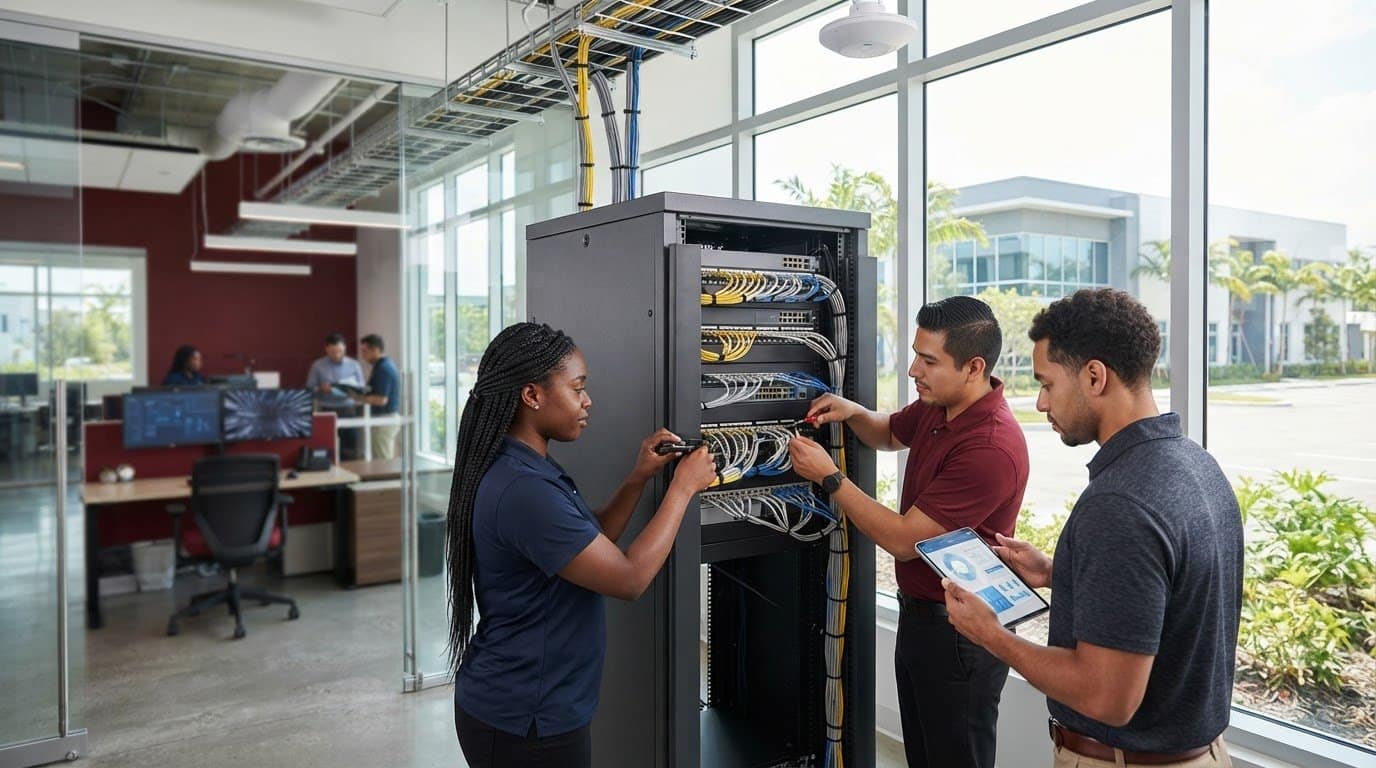
14 Oct Office Network Setup Services in Weston: A Business Buying Guide
What if the biggest risk to your office network isn’t a weak Wi-Fi signal, but a setup that doesn’t fit the way your team works? Choosing office network setup services in Weston means looking beyond installation day. Cabling, wireless coverage, and network configuration all need to support daily work without creating avoidable interruptions.
Before work begins, get clear on what the office needs: which work areas require wired connections, where staff use wireless devices, and what equipment depends on the network. This guide explains how to scope a Weston office network setup and compare cabling and configuration needs. You’ll also learn how Telx Computers brings wireless network design, CAT5/CAT6 wiring, and RJ45 panel installation together with ongoing IT support.
A dependable network starts with infrastructure planned for your workplace, then benefits from consistent monitoring and support as your needs change. Telx Computers supports businesses across Miami and South Florida, including Aventura and Fort Lauderdale, with on-site support, remote help desk assistance, and proactive network monitoring. That connects the initial setup to the broader IT environment your team relies on.
Key Takeaways
- Identify how your office works, then map work areas, equipment, and connection needs before planning installation.
- Compare office network setup services in Weston by project scope, cabling, wireless design, installation, and ongoing support.
- An internet or phone plan provides connectivity, while office network cabling and setup organize how devices connect inside your workplace.
- Document business priorities and installation requirements in advance to coordinate network work with regular office activity.
- Telx Computers connects network design and installation with broader IT support, giving businesses a partner beyond the initial setup.
Office Network Setup in Weston: What Should a Business Project Include?
A new office, a relocation, added work areas, or an unreliable connection can expose gaps in a business network. Staff may have desks ready but no convenient way to connect computers, printers, phones, and wireless equipment. Planning the physical network before people move in helps identify where connections are needed and how installation can fit around office operations.
Office network setup is the planning and installation of the cabling and network connections a business needs to link devices across its workplace. Physical cabling creates connection points; network design determines how those points and wireless access support the office’s needs. A complete project considers both, rather than treating a fast internet plan as a substitute for workplace infrastructure.
For businesses assessing office network setup services in Weston, the right scope depends on the office layout, equipment, and business requirements. A small team in one workspace may need a different arrangement from a company with several work areas, shared printers, and wireless devices. Telx Computers provides wireless network design, CAT5/CAT6 wiring, and RJ45 panel installation, with project details shaped around the business environment.
These physical connections form part of a Local Area Network (LAN), the network that connects devices within a workplace. Planning the cabling and network design together gives the business a clearer picture of what needs to be installed, where it belongs, and how staff will use it.
Which office situations call for network cabling and setup?
Network planning can be useful before an office move, when adding work areas, or when refreshing a setup that no longer matches how the team works. For example, a growing Weston business may need new connection points for desks or shared equipment as its floor plan changes. A refresh can also help organize cabling when the current arrangement makes it hard to identify which connections serve which areas.
Start planning before staff and equipment arrive. Map work locations, consider where wired connections are needed, and coordinate installation with other move-in tasks. If the office is already operating, identify which areas and activities need to remain available during the work. Addressing these needs in advance can reduce last-minute changes and help limit interruptions to normal work.
What do CAT5/CAT6 wiring and RJ45 panels do?
Structured wiring connects network points around the office through installed cabling. CAT5/CAT6 wiring provides the physical paths for those connections, while an RJ45 panel brings cable terminations together in an organized layout. That makes it easier to understand how the office’s network points are arranged and supports a more deliberate installation.
The details should follow the floor plan and intended equipment locations, not a one-size-fits-all template. Telx Computers can bring wiring, RJ45 panel installation, and wireless design into the project scope. For businesses aligning that work with broader IT operations, Telx Computers’ IT outsourcing services connect infrastructure planning with ongoing business IT support.
How to Scope Office Network Cabling and Setup for a Weston Business
A clear project scope begins with how the office operates, not with a preset number of cables or connection points. Before planning begins, identify who needs network access, where staff will work, which equipment needs a connection, and whether the office layout may change. This helps distinguish confirmed requirements from assumptions and gives the estimate a practical basis.
Your office layout and business needs determine where network connections belong and how cabling and wireless design should work together. Use this sequence to shape the project:
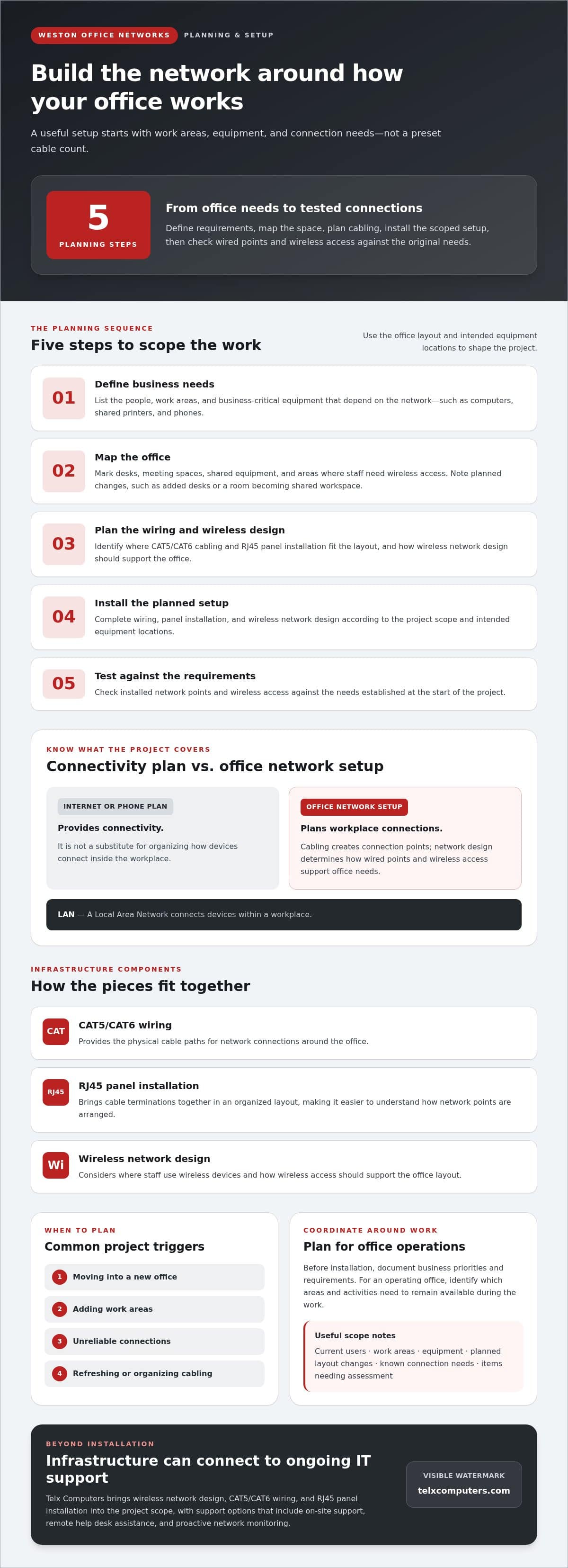
- Define business needs. List the people, work areas, and business-critical equipment that depend on the network, such as computers, shared printers, or phones.
- Map the office. Mark desks, meeting spaces, shared equipment, and areas where staff need wireless access.
- Plan the wiring. Identify where CAT5/CAT6 cabling and RJ45 panel installation fit the layout and intended connections.
- Install the planned setup. Complete the wiring, panel installation, and wireless network design according to the project scope.
- Test the connections. Check the installed network points and wireless access against the requirements established at the start.
For businesses comparing office network setup services in Weston, this sequence makes it easier to understand what the work covers and why. A move into a new space may call for a complete layout plan, while an office refresh may focus on changing work areas or organizing an existing cabling arrangement.
What should a business define before cabling begins?
Document current users, work areas, and the equipment staff rely on to serve customers or complete daily tasks. Note planned changes, too, such as adding desks or converting a room into a shared workspace. Then separate what’s already known from what needs assessment. For instance, a team may know where desks will go but still need to determine the best locations for network connections.
How do wiring, wireless design, and setup work together?
CAT5/CAT6 wiring provides physical network connections, and RJ45 panel installation organizes cable terminations. Wireless network design addresses how staff connect without plugging directly into a network point. Planning both together helps account for fixed equipment and the parts of the office where employees need wireless access, rather than treating each decision as a separate project.
A connected plan should also account for how the network will be supported after installation. Telx Computers provides wireless network design, CAT5/CAT6 wiring, and RJ45 panel installation, with project scope tailored to the office’s layout and requirements. For a broader view of network planning and related topics, NIST offers networking resources.
Keep the estimate tied to the actual work: the mapped office, identified connection needs, planned wiring, and installation requirements. Telx Computers can help businesses connect setup planning with ongoing network IT support, so infrastructure decisions fit within the wider IT environment.
How to Compare Office Network Setup Services in Weston
A useful comparison starts with the work your office needs, not just a service label. An internet or phone plan provides connectivity or calling services; it doesn’t, by itself, map and install the physical cabling and network connections across your workplace. For a business assessing office network setup services in Weston, compare the full project scope alongside how the network will be supported once installation is complete.
Use these criteria to see what a network project covers and how Telx Computers can support it:
| Comparison area | What to look for | Telx Computers |
|---|---|---|
| Project scope | Does the plan reflect your office layout, work areas, equipment, and business requirements? | Project scope and estimate are based on actual business needs. |
| Cabling | Does the work address the required wired connections and an organized cabling layout? | CAT5/CAT6 wiring and RJ45 panel installation. |
| Wireless design | Does the plan consider how staff connect wirelessly across the workplace? | Wireless network design. |
| Installation | Is the proposed installation connected to the identified cabling and network requirements? | Wiring and panel installation are part of the network setup. |
| Ongoing support | Is there a support model for network needs after setup? | Proactive network monitoring and remote help desk support. |
Which capabilities matter in a business network project?
Focus on whether the project brings together the physical and wireless parts of the network. CAT5/CAT6 wiring and RJ45 panels address wired infrastructure; wireless network design considers staff access beyond those fixed connections. Telx Computers provides these network services, along with proactive network monitoring and remote help desk support that can help businesses manage network needs beyond installation.
A network audit and a project-specific estimate can help clarify existing conditions, required work, and priorities before decisions are made. Telx Computers offers a free network audit and free estimate on request. These provide a clearer starting point, so the proposed scope can reflect the office rather than assumed requirements.
Why consider setup and ongoing support together?
Installation establishes the network’s physical and wireless setup; ongoing support gives the business a path for assistance as operational needs continue. Telx Computers pairs network services with a fixed monthly cost for unlimited proactive support, with no per-ticket fees. Businesses considering continued IT support can review managed IT support services as part of the wider network plan.
Compare the details, not just the category name. A clear scope makes it easier to understand what cabling, wireless design, installation, and ongoing support each contribute to the business network.
Plan a Weston Office Network Setup With Minimal Business Disruption
Network work is easier to coordinate when the business has identified what staff need to keep doing during installation. A clear preparation plan helps distinguish busy work areas, connectivity-dependent activities, and details the project team needs to understand before work begins. That context helps Telx Computers plan office network setup services in Weston around the business’s priorities, rather than treating installation as an isolated technical task.
Before planning starts, document the essentials:
- Work areas: Note where employees sit, where shared equipment is used, and which spaces have different connectivity needs.
- Current concerns: Describe recurring connection issues or parts of the current setup that no longer fit the way the team works.
- Business priorities: Identify tasks and services that rely on network access, so the team can understand which activities need careful coordination.
- Office changes: Record planned moves, new work areas, or changes in how rooms will be used that could affect the installation plan.
- Project coordination: Identify who can arrange access to work areas and communicate operational priorities to staff.
These notes turn general concerns into useful planning details. For example, if employees rely on network access to serve customers from a particular work area, flagging that dependency gives the project team a chance to account for it when coordinating the work. Avoid treating assumptions, such as a presumed connection point, as settled requirements until they’ve been assessed.
What information helps prepare for a network project?
Keep the preparation focused on how the business operates: work locations, current network concerns, connectivity-dependent activities, and the person coordinating access. This doesn’t require inventing technical specifications or predicting every future need. A network audit and project estimate can help clarify existing conditions and planned work, giving the business a practical starting point for scope discussions.
How can businesses plan support after installation?
Installation is one part of keeping a business network useful. Remote help desk support gives staff a way to seek assistance, while proactive network monitoring supports continued oversight of network operations. Including support in the planning conversation helps the business understand how network needs will be handled after setup, rather than leaving that question until an issue arises.
Businesses can rely on an on-site response within 3 hours of a service call. Organizations can also consider how ongoing IT support fits their operations and support needs. This connects the setup project with the broader IT environment instead of treating cabling and support as unrelated responsibilities.
Use your preparation notes to guide the project conversation and align network work with office priorities. Plan ongoing IT support with Telx Computers as part of a coordinated approach to your business network.
Choose Telx Computers for Office Network Setup in Weston
A network project works best when installation decisions connect to the way your business operates after setup. Telx Computers supports businesses with wireless network design, CAT5/CAT6 wiring, and RJ45 panel installation, bringing together the physical connections and wireless access that staff rely on. For businesses comparing office network setup services in Weston, that joined-up view keeps cabling decisions tied to real work areas and operational needs.
The relationship doesn’t have to end when installation is complete. Telx Computers also provides proactive network monitoring, remote help desk support, and on-site support for business IT needs. Together, these services give businesses options for ongoing assistance as staff use the network and operational requirements change. The goal is a support relationship that fits the broader IT environment, not a one-time installation without a plan for what comes next.
What ongoing support can accompany network setup?
Remote 24/7 Technical Help Desk Support gives employees access to assistance, while proactive network monitoring supports continued oversight. On-site support is also available for business IT needs that call for in-person attention. Businesses that want to coordinate network infrastructure with continuing IT services can explore IT outsourcing services as part of their support approach.
Telx Computers offers fixed monthly pricing with unlimited proactive support and no per-ticket fees through its support model. This is an ongoing support option, not a requirement that every network installation use the same plan. Businesses can consider how they want to manage ongoing support alongside the setup scope, so responsibilities are clear beyond installation.
What is the next step for a Weston business?
Start with a practical view of your current network and the work your office depends on. A free network audit or free estimate can help clarify the project’s needs and provide a straightforward starting point for planning. Share the office layout, current concerns, and business priorities so the conversation can focus on the work that matters to your team.
With Telx Computers, businesses can bring network design, wiring, installation, and ongoing IT support into one coordinated relationship. If you’re ready to discuss your office network needs, connect with Telx Computers to request a free network audit or estimate and take the next step toward a setup aligned with your business.
Build a Network Plan That Grows With Your Business
Your office network should support the way your business works now while giving you a clear basis for future decisions. As teams, workspaces, and daily priorities change, revisit whether the network still fits those needs. A thoughtful plan keeps technology decisions connected to business operations instead of turning each change into a separate, last-minute fix.
Choosing office network setup services in Weston is a chance to establish that foundation with a partner who understands both the physical network and the IT support around it. Start by discussing what your workplace needs today and what changes you expect ahead. That conversation can help shape a practical next step for your team.
Request a free network audit or estimate from Telx Computers to begin planning with greater clarity. A stronger network starts with a plan built around your business, and your team can move forward with confidence.
Frequently Asked Questions
Can Telx Computers help with office network cabling in Weston?
Yes. Telx Computers serves businesses in Miami and South Florida, including Aventura and Fort Lauderdale, and provides wireless network design, CAT5/CAT6 wiring, and RJ45 panel installation. For businesses evaluating office network setup services in Weston, the project can be scoped around practical needs such as connecting employee workstations or shared office equipment. These services address network infrastructure, while an internet plan alone doesn’t plan or install those office connections.
What is included in an office network setup service?
The scope depends on the office and its requirements. Telx Computers provides wireless network design, CAT5/CAT6 wiring, and RJ45 panel installation, with the project shaped around the business’s needs. These are network design and infrastructure services, distinct from an internet plan, which provides connectivity but doesn’t define the office’s cabling layout. Consider which work areas and devices need network connections when determining project scope.
How do I know whether my office needs CAT5 or CAT6 cabling?
The choice should be assessed against your office’s needs and existing setup, rather than based on a universal recommendation. Telx Computers provides both CAT5 and CAT6 wiring for business projects. A network audit or estimate can help clarify the requirements for your particular office, such as which work areas need wired connections and how the planned network should fit your operations. That gives the decision a business-specific basis.
Can office network setup include wireless network design?
Yes. Telx Computers provides wireless network design alongside CAT5/CAT6 wiring and RJ45 panel installation. A business plan may need to account for both wired connections and wireless use, depending on the office layout and how employees work in different areas. For example, fixed office equipment and staff using devices around shared spaces may have different connection needs. The design should reflect those requirements without assuming a particular coverage level or equipment specification.
Does Telx Computers provide ongoing support after network setup?
Yes. Telx Computers offers remote 24/7 Technical Help Desk Support, proactive network monitoring, and on-site support for business IT needs. This gives businesses support options beyond the initial network project. On-site response within 3 hours of a service call. Consider these support options alongside your network plans so responsibilities after installation are clear.
What does Telx Computers’ Outsourced IT Support package include for on-site support?
5 hours monthly are Included within your Outsourced IT Support & Services package. This is the monthly on-site technician support included in that specific package, not an estimate or a suggested allowance. It shouldn’t be interpreted as unlimited on-site support or applied to other service arrangements. Businesses considering this package can factor the stated monthly hours into their support planning and distinguish them from other network project requirements.
Is after-hours IT support available?
Yes. After hours support is available after 6:30 pm Monday-Friday, and on weekends (additional charges may apply). This availability is for emergency support through the automated phone system. The additional-charge note applies, so businesses should account for it when considering how they’ll handle urgent IT needs outside regular hours. This after-hours arrangement is separate from planning the scope of an office network setup project.